minute read
Warning: THIRD-PARTY-COOKIES – To use the Static Operations module, you must enable third-party cookies in your browser, using either standard or incognito/private mode. The Static Operations module requires these cookies for proper operation.
This Getting Started section assumes that you have already created a Static Campaign in the Guaranteed Campaigns module.
To use the Static Operations module, your campaign A campaign represents the highest level and is set up between you and the advertiser. The Broadsign Platform allows you to create the following types of campaigns: Audience, Guaranteed, Programmatic, and Static. must have the Booked status in the Guaranteed Campaigns module.
For more information, see Campaign Status.
Once in the Static Operations module, the Campaign Status will be displayed as Contracted or Cancelled.
We have split the getting started steps in several sections that will help you set up a robust static signage network. These sections are one of many ways to get started with the Static Operations module.
Note: The Static Operations module is available to users with the Admin, Static Admin, or Static Campaign Manager role.
To access the Static Operations Module:
Static Operations
Warning: THIRD-PARTY-COOKIES – To use the Static Operations module, you must enable third-party cookies in your browser, using either standard or incognito/private mode. The Static Operations module requires these cookies for proper operation.
- Log in to the Broadsign Platform.
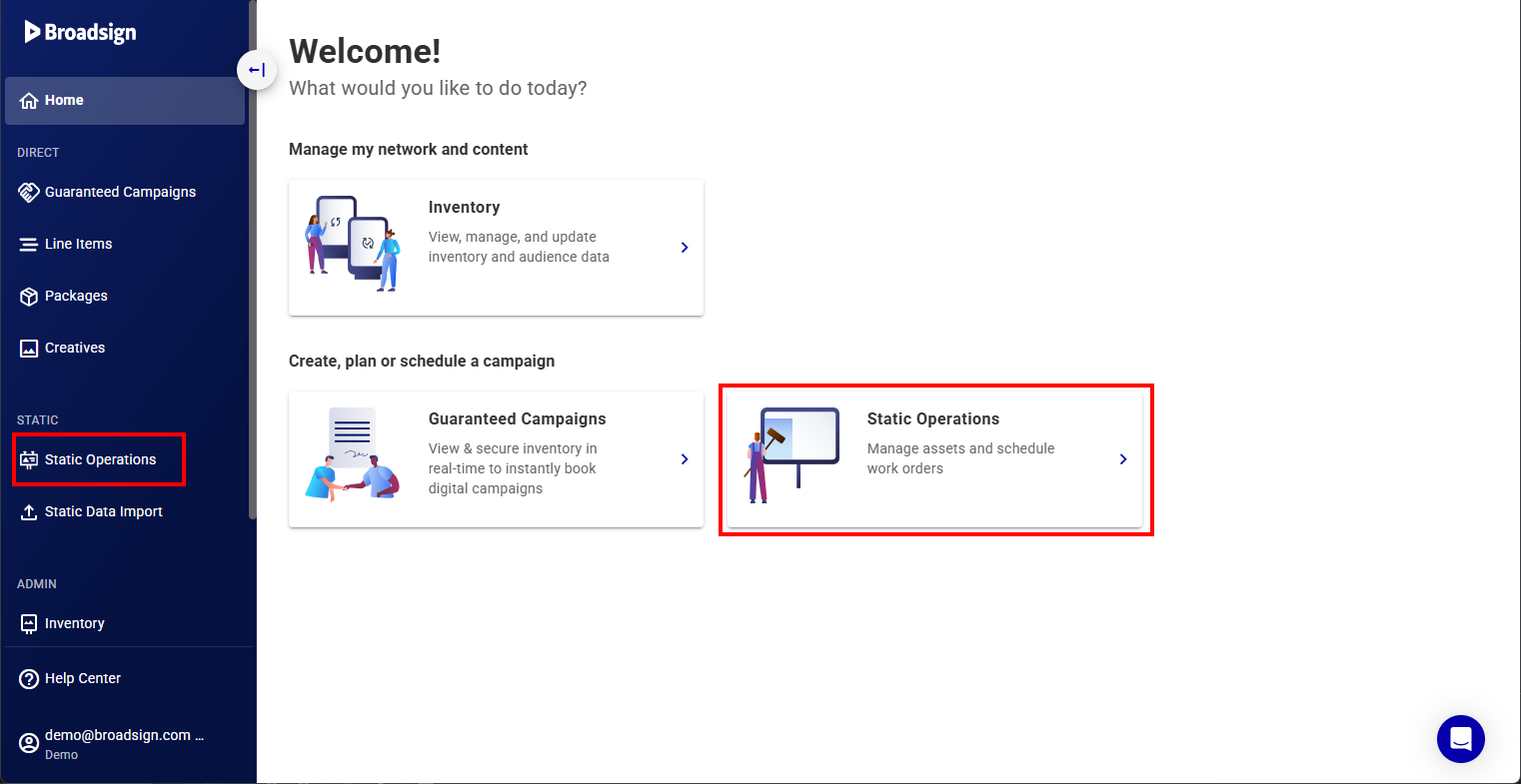
- Access the Static Operations module by either clicking the Static Operations module in the navigation bar, or the Static Operations navigation widget in the workspace.
You are now in the Broadsign home page. This page contains the different sections of the Broadsign home page.

Tip: The modules that are available to you depend on the products that your Organization has subscribed to and the permissions that have been assigned to your user.
The Static Operations module is displayed.