
This section describes how to duplicate a deal.
To duplicate a deal:
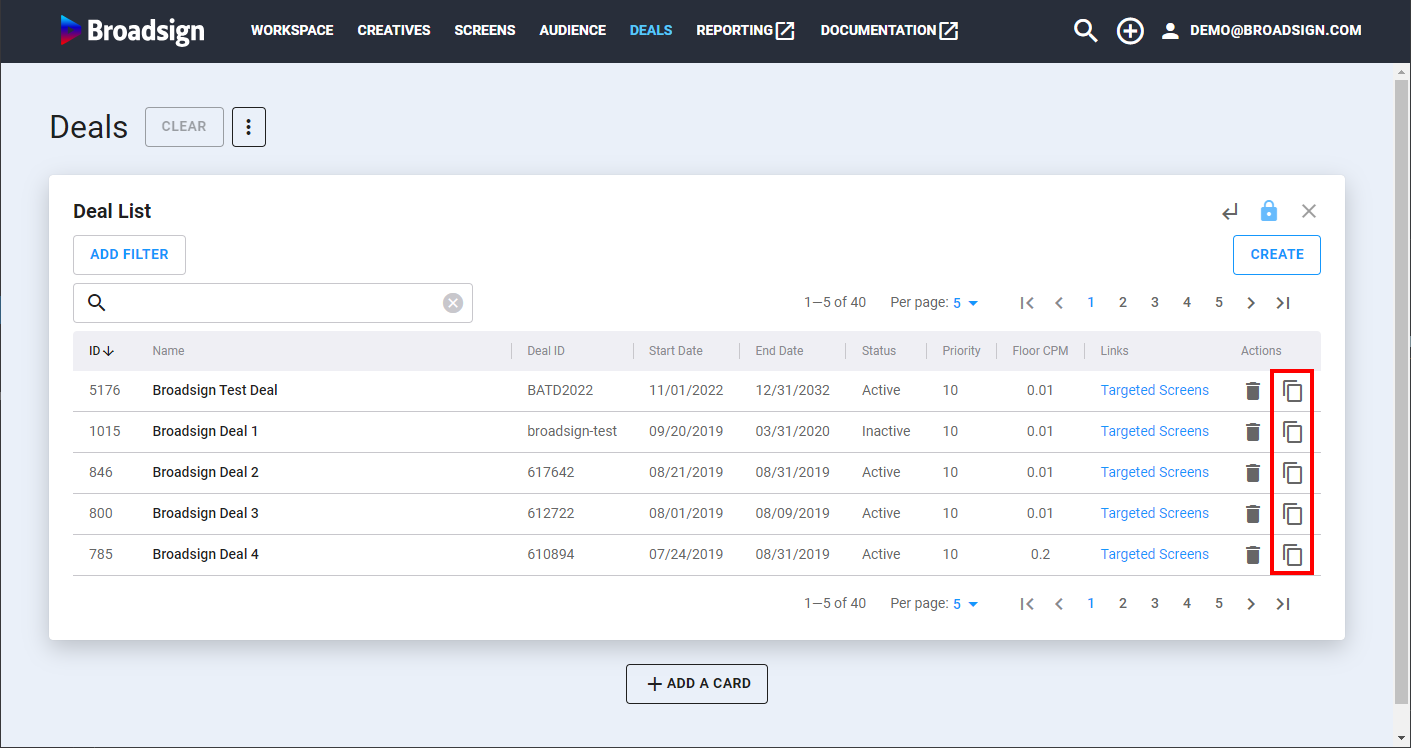
- Access the Deals section.
- Click the
 icon next to the deal to duplicate in the Deal List.
 - Change any of the parameters.
- Once everything is correct, click Save Deal.
The Duplicate Deal card is displayed.
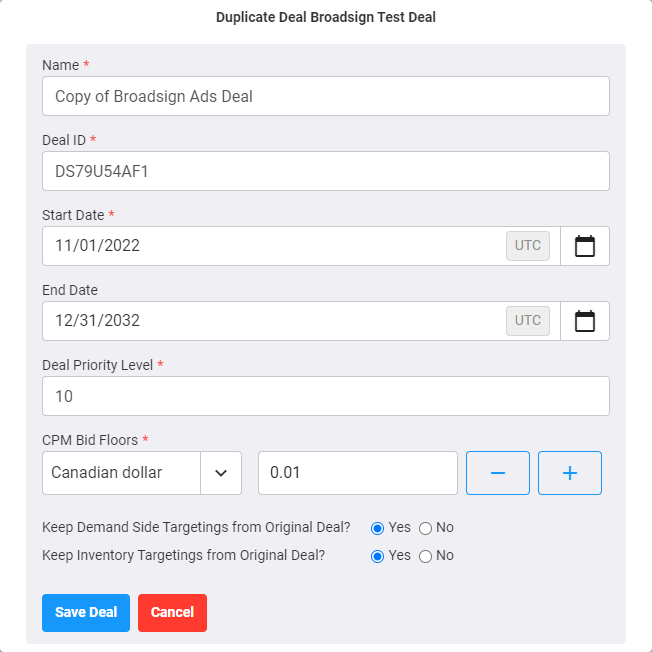
| Column | Description |
|---|---|
| Name | Name of the deal. It must be something meaningful. Mandatory. |
| Deal ID | ID number that is automatically created in the system. Mandatory. |
| Start Date | Start date of the deal. Mandatory. |
| End Date | End date of the deal. |
| Deal Priority Level | Select a value between 1 and 1,000, 1 being the highest. The default value is 10. Mandatory. |
| CPM Bid Floors | The minimum price of the two auction types. Mandatory. |
| Keep Demand Side Targetings from Original Deal? |
Selecting Yes will keep all demand side targeting as-is. Selecting No will allow you to select new demand side targetings for the duplicated deal. |
| Keep Inventory Targetings from Original Deal? |
Selecting Yes will keep all inventory targetings as-is. Selecting No will not set any inventory targetings on the duplicated deal. |

