 minute read
Note: This page describes the new Digital Line Item flow. For the previous flow, see Use Contextual Filtering (Obsolete).
Environment Targeting
Guaranteed Campaigns
You can target specific venues, screens, and faces by selecting particular environments. The targeting is based on the Venue Type value defined on the screens or faces through the Broadsign Platform inventory. When using this targeting, the system checks the different venue types for which you have inventory and displays them as targets.
The Venue Type parameter is available in the Digital and Static tabs of the Inventory page.
- Digital Inventory – You can set the Venue Type parameter when performing one of the following actions:
-
- Quick Screen Update: Inventory Column Details
- Bulk Screen Update .csv file: CSV File Column Details (Broadsign Inventory)
- Static Inventory – You can set the Venue Type parameter in the Static Operations module at the Site level: Work with Sites.
Broadsign offers a wide range of environments. For more information, see Venue Types.
Note: The list of available environments will differ based on your inventory.
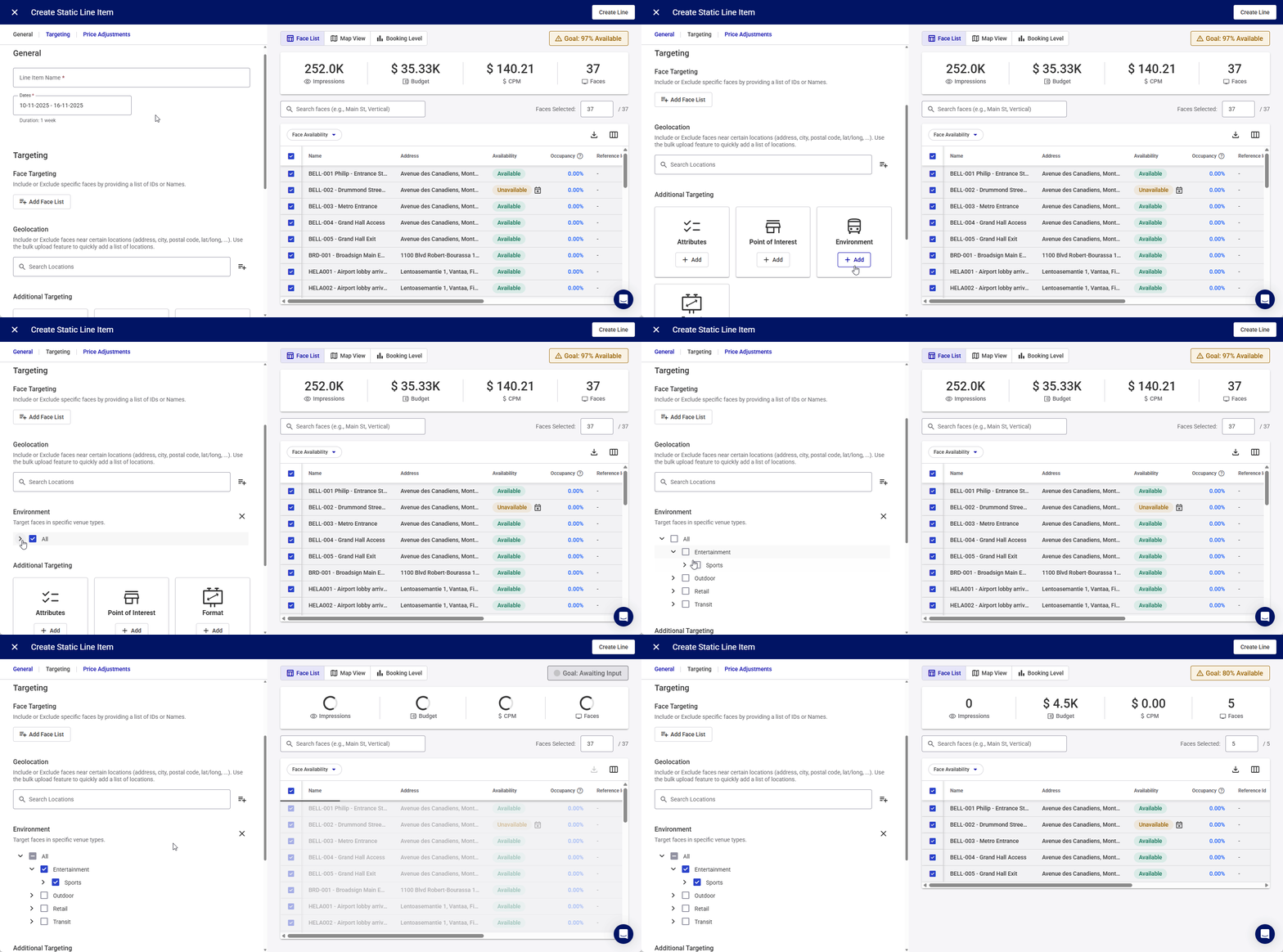
For example, you could:
- Advertise low interest credit cards to students in campuses.
- Advertise suitcases to travellers in airports.
- Advertise shoes to consumers in malls.
