 minute read
Cloning a campaign creates a new draft copy with all the same line items, settings, and parameters as the original. This is useful for quickly setting up similar campaigns. You can clone a campaign regardless of its status.
You cannot clone:
- A campaign that uses a Shared goal.
- A campaign matrix.
To clone a campaign:
Guaranteed Campaigns
- Access the Guaranteed Campaigns Module.
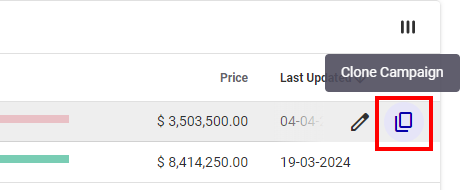
- In the main Guaranteed Campaigns page, click the
 icon of the campaign that you want to clone.
 - The cloned campaign will have the Draft status.
- If the start date of the original campaign is in the future, the start date of the cloned campaign will be the same.
- If the start date of the original campaign is in the past, the new start date of the cloned campaign will be the current date.
The cloned campaign name is Copy_of_[Campaign_Name].
Your next step is to edit the campaign. Common edits include:
- Renaming the Campaign.
- Adjusting the start and end dates for the new campaign's schedule.
- Modify the screens, packages, or faces assigned to the line items.
For more information on how to modify campaign settings, see Create a Guaranteed Campaign.
