Note: This page describes the new Digital Line Item flow. For the previous flow, see Use Contextual Filtering (Obsolete) and Search Digital Screens by Criteria (Obsolete).
Criteria Targeting
Guaranteed Campaigns
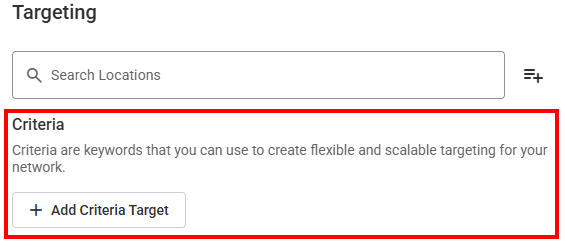
Criteria are keywords or tags that allow you to target specific screens for content delivery. By assigning criteria to screens, you can ensure that your content is displayed only on the most relevant screens within your network. You can assign multiple criteria to each screen for efficient, error-free scheduling
Assigning criteria to screens is done within our Content and Network Management solution. For more information, see Criteria and Conditions in the Content and Network Management documentation.
Once screens have their criteria assigned, you can target them by clicking the Add Criteria Target button to create a targeting rule. There is no limit on the number of targeting rules that you can create.

Category Exclusions
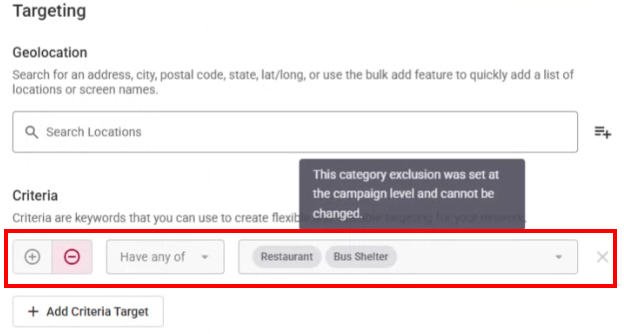
If you have selected category exclusions in Step 3 – Select Category Exclusions (Optional) of creating the campaign, these exclusions are listed as read-only targeting rules. They cannot be changed or removed.
Examples
Here's how you can use criteria to target specific screens:
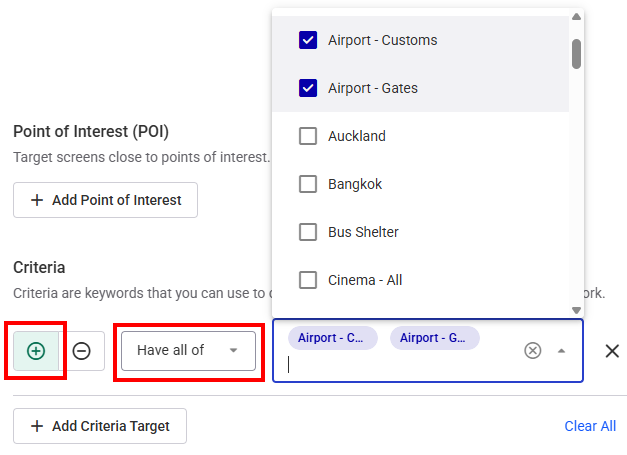
- Include screens with Have all of the following criteria:
- Airport - Customs
- Airport - Gates
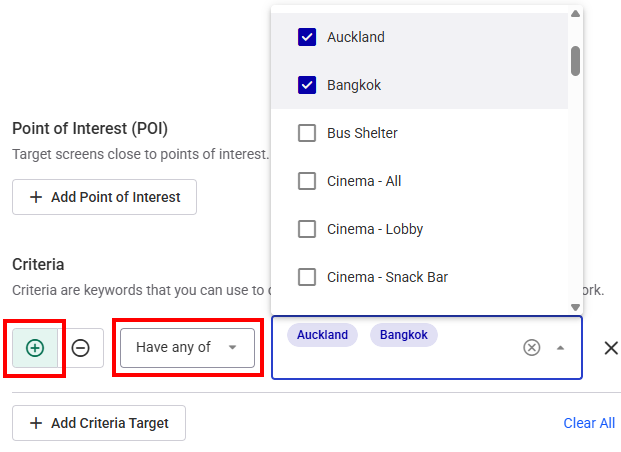
- Include screens with Have any of the following criteria:
- Auckland
- Bangkok
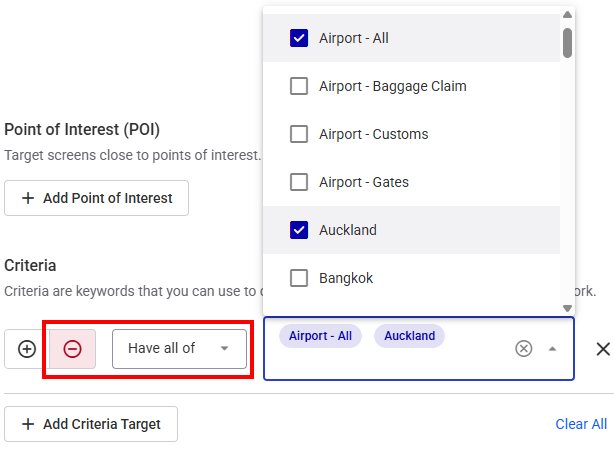
- Exclude screens with Have all of the following criteria:
- Airport - All
- Auckland
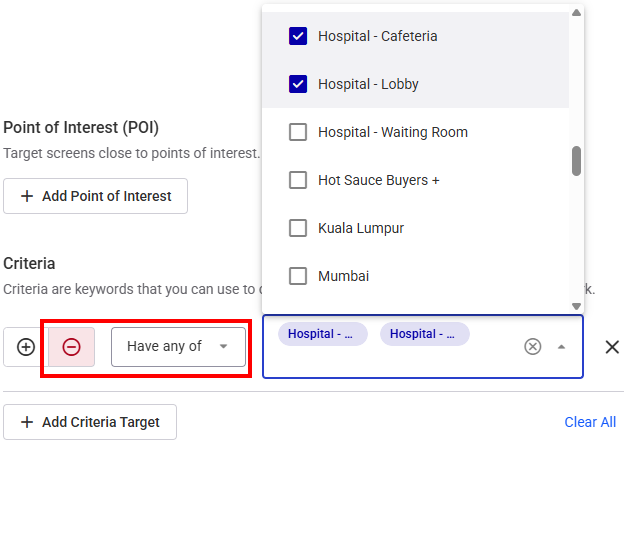
- Exclude screens with Have any of the following criteria:
- Hospital - Cafeteria
- Hospital - Lobby
This will target screens located in the Airport Custom and Gates areas.
This will target screens located in either Auckland or Bangkok.
This will exclude screens that have been categorized as being in Auckland airports.
This will exclude any screens that have been categorized as being in the Lobby or Cafeteria of an Hospital.
Combining Include and Exclude Criteria
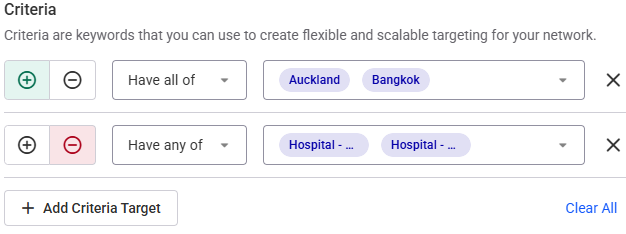
For more complex targeting, you can combine include and exclude criteria. For example, you could include screens that have all the "Auckland" and "Bangkok" criteria, and exclude screens that have any of the "Hospital - Cafeteria" or "Hospital - Lobby" criteria. This would ensure your content is only displayed on screens located in Auckland and Bangkok, excluding any screens located near the Cafeteria or Lobby of hospitals.
By effectively utilizing criteria, you can precisely target your content, ensuring it reaches the right audience at the right time and place.
