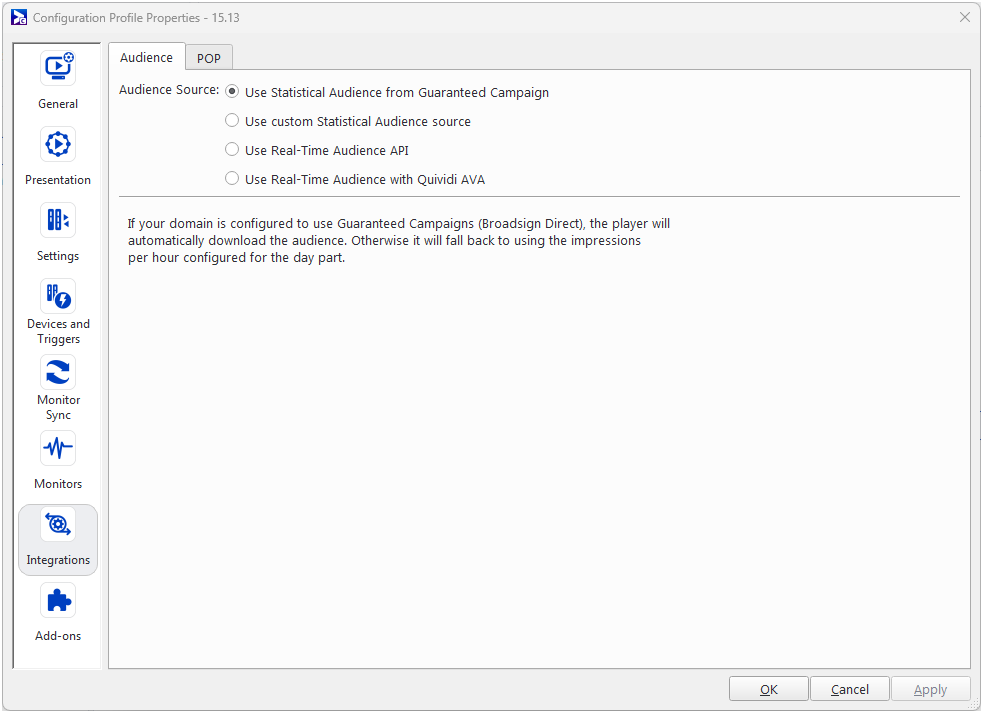
The Statistical Audience from Guaranteed Campaign source allows you to automatically download the audience from Guaranteed Campaigns (Broadsign Direct). Each playback statistic is then compared against your audience data. As a result, you can generate reports that reflect delivered impressions.
Note: The total number of impressions is cumulative when the players are configured with the statistical audience files per time range. This also applies for the gender and age ranges. See Broadsign POP Log.
Note: The Statistical Audience from Guaranteed Campaign source is ideal for users of Guaranteed Campaigns (Broadsign Direct) or Broadsign Reach.
The Statistical Audience from Guaranteed Campaign source is an advanced feature of Broadsign Control Administrator.
Before configuring this feature, ensure that you are familiar with the following:
When using a configuration profile v15.13.0+, the player handles statistical audience configuration automatically.
- Statistical audience data is always sent in Broadsign Reach bid requests.
- If your domain is configured to use Guaranteed Campaigns (Broadsign Direct), the player will automatically download the audience. Otherwise it will fall back to using the impressions per hour configured for the day part. For more information, see Day Parts Properties.
The audience URL is queried and submitted as part of the Broadsign Reach Ad Request. Statistical impression count per slot (as computed by either the “prorated” or “dwell” formulas) are submitted in the Ad Request sent to Broadsign Reach for bidding. The prorated audience algorithm computes a value based on the real duration for which an ad plays. Therefore, no special consideration is required if the Ad Response fills less than the expected slot duration because the prorated audience algorithm will compute the correct value based on the real duration.
To configure the Statistical Audience source:
- Create a configuration (see Configurations).
- Create a player configuration profile (see Configuration Profiles - Players).
- Open the Configuration Profile Properties, and go to Integrations > Audience (see The Audience Tab).
- Select Use Statistical Audience from Guaranteed Campaign.
- Click OK or Apply.