minute read
Super users can now update the asset.dynamic_creative field while importing adunits from flatfile

- Only superusers have the permission to update the asset.dynamic_creative field through the Flatfile adunit upload in the Portal.
- The Dynamic Creative (DC) Certification Status allows buyers and Place Exchange AMs to consider only appropriate inventory for dynamic creative campaigns during their planning procedures.
- Not Certified – Place Exchange has not certified if the inventory can properly support dynamic creatives.
- Certified – Place Exchange has certified that the inventory can properly support dynamic creatives.
- Null – If there is no registered value, the system sets the default value to null.
Enhanced snapshot visibility in bulk Ad approval table

- We have improved the Bulk Ad Approval table to make Ad snapshots easier to identify and review.
- Each snapshot in the first column now has a dashed border.
- The snapshot column uses a more subtle gray background to better differentiate it from surrounding content while maintaining a balanced visual experience.
Tier 1 fields now editable in single adunit edit view in portal

Publishers can now edit Tier 1 fields in the Single Adunit Edit View. This update enables Publishers to directly modify key Adunit attributes without requiring AdOps intervention, improving efficiency and reducing operational overhead. The following are the editable fields added to the edit single adunit view:
- Auctions & Rate – Private Auction, Bidfloor Bidfloor Currency, Alt. Bidfloor Banner, Alt. Bidfloor Video, Planning Rate
- Slots & Ad_formats – Slot W&H, Min-Max Duration, Ad Formats
- Measurement & Reporting – Measurement Provider (read only), Impression Multiplier (IMP_x), 4 Week ImpressionsMeasurement Duration
- Location – Latitude, Longitude, Horizontal accuracy
Placement Form: Show adunits targeted by metadata and download associated adunits
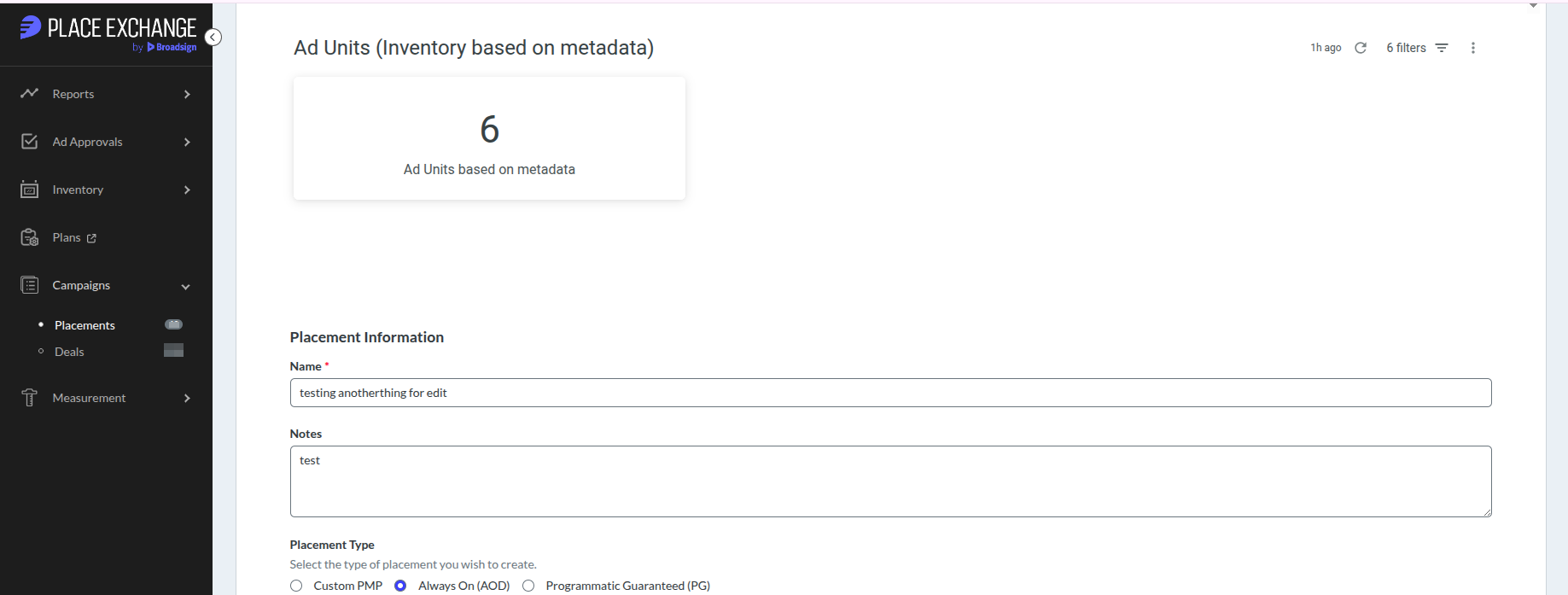
Adunits targeted by placement metadata
- The placement edit form now displays adunits targeted by placement metadata, including Venue Category, DMA, Zip Code, Region, Network, and Keywords. The adunits will appear in the Ad Units (Inventory based on metadata) section within the placement edit form, visible only when metadata is present.
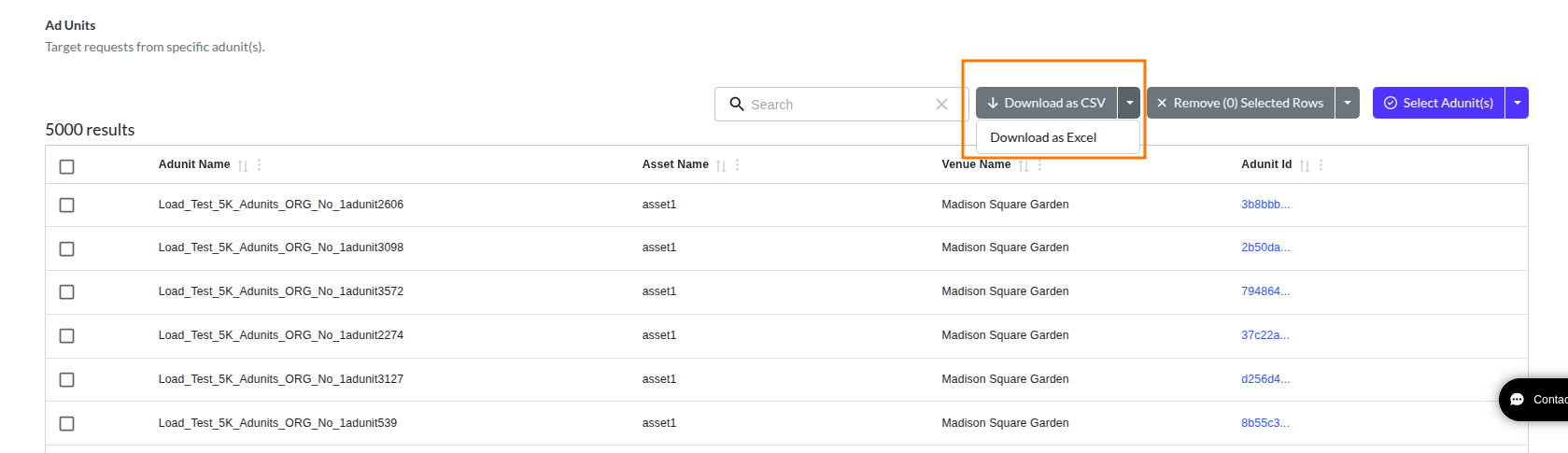
Download associated adunits
- Download the list of adunits associated with a placement directly from the placement form. The download is available in CSV or Excel format and includes Adunit Name, Asset Name, Venue Name, and Adunit ID as shown in the table.
Added Broadsign Platform Adunit Integration Type
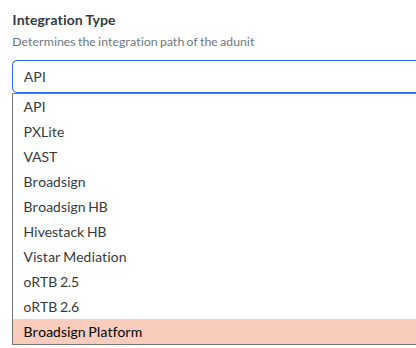
Introduced a new Adunit integration type, “Broadsign Platform” to support the migration of Broadsign Reach screens to Place Exchange. This addition enables separate tracking and management of Broadsign Reach Platform Adunits from existing integration types.
asset.name available in the Portal Geosegments Downloads

Added adunit.asset.name to the Geosegments download CSV in the portal to improve Adunit identification for media owners. This is especially useful for resellers, such as Screenverse, to help clearly identify their inventory using adunit.asset.name, reducing dependency on separate Adunit exports and simplifying workflows.
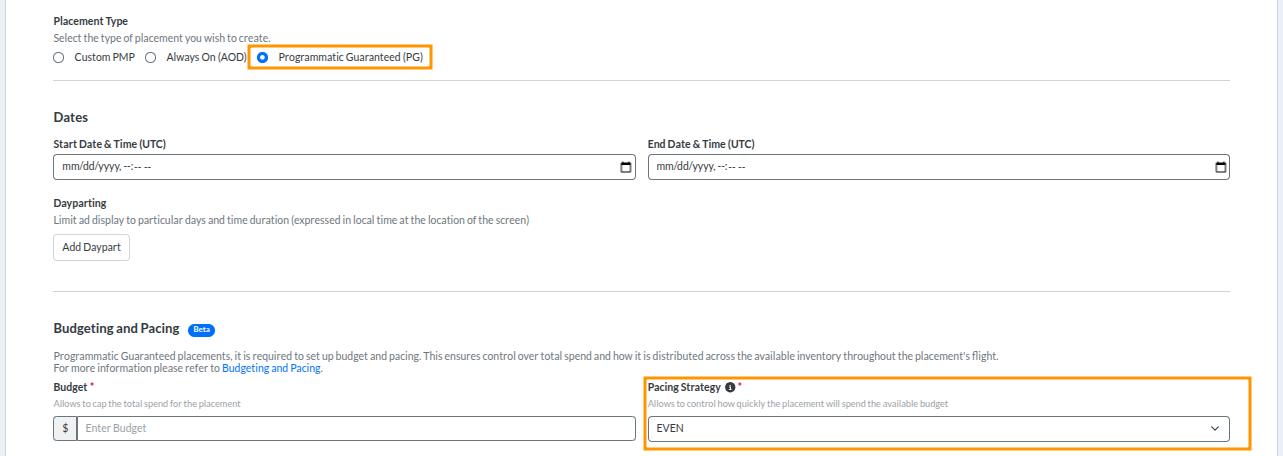
Pacing strategy tool tip and default selection for programmatic guaranteed placements updated in portal placement form
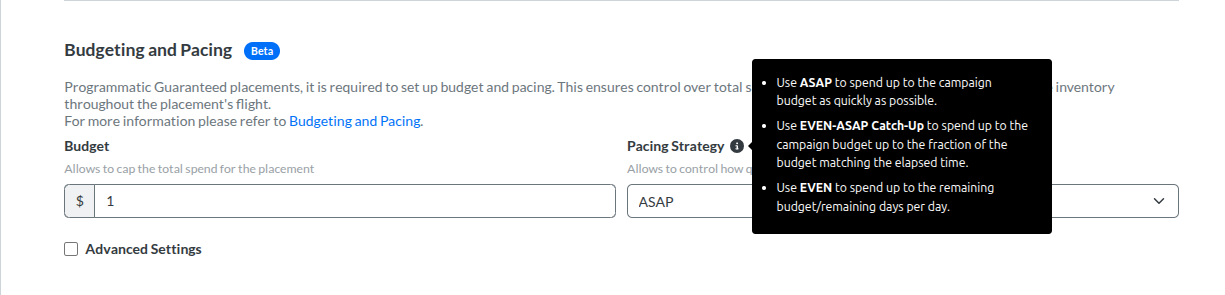
- Added a tool tip with an information icon next to the Pacing Strategy label to provide additional guidance.
- Updated the default pacing strategy for Programmatic Guaranteed placements to EVEN instead of EVEN (ASAP Catch-Up).