 minute read
This page provides a step-by-step guide for Publishers to manage adunits in the Portal. For an overview of adunits in Place Exchange, refer to Managing Inventory in the Portal.
An AdUnit functions as a digital container that uses metadata to identify available impressions for content placement. This metadata comprises 68 specific sub-metadata attributes derived from primary identifiers, such as name, location, measurement, placement, auction, and restrictions. Furthermore, the system requires specific physical specifications, including asset.mimes, slot, and aspect data points, to successfully create and manage AdUnits.
AdUnits are the key method used to map a publisher's modeling of their inventory into sellable units. AdUnits represent the lowest granularity of inventory and encapsulate all the information necessary to sell, including:- Creative characteristics, such as height, width, formats, supported mime types.
- Publisher restrictions, such as blocked advertisers, content, or attributes.
- Floor pricing, supported currency, auction types, such as 1st price, floor price.
You can manage AdUnits in the Portal (see Deal Management) or via the API.
AdUnits can support mapping inventory in a variety of ways: by Face, by Site, by Package. For more details, see Organizing Inventory.
Click the Download Data Dictionary button to get an Excel sheet that describes the key concepts and what values are supported. For more information, see Download Data Dictionary.
Adunit terms or prices can change over time. You can manage these changes by editing the adunit. To enter edit mode, click the adunit name within the Summary View.
You can update the following information:

After clicking on that adunit, the system redirects you to the Edit Adunit page, where you can update the above mentioned information by clicking the Update Adunit button.
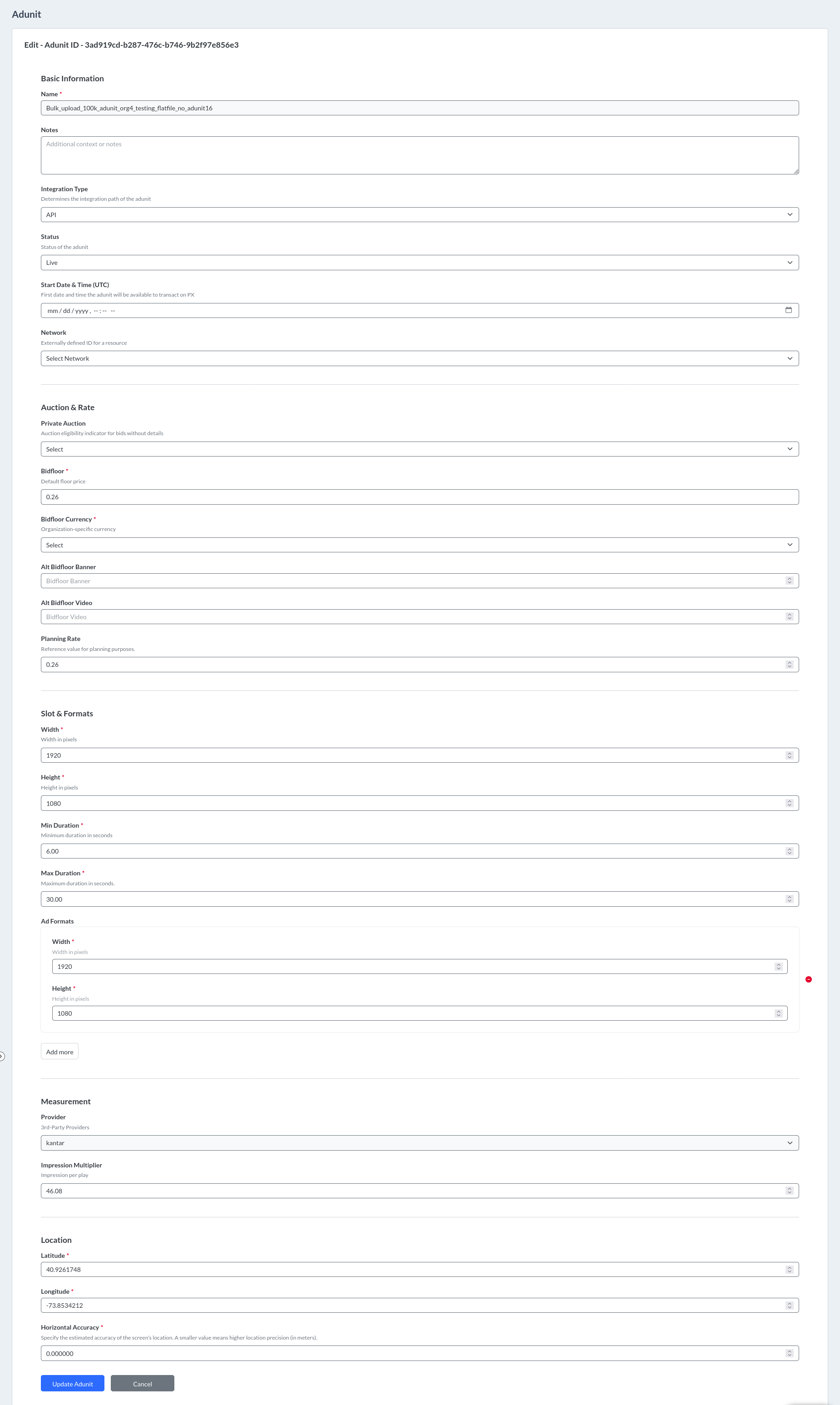
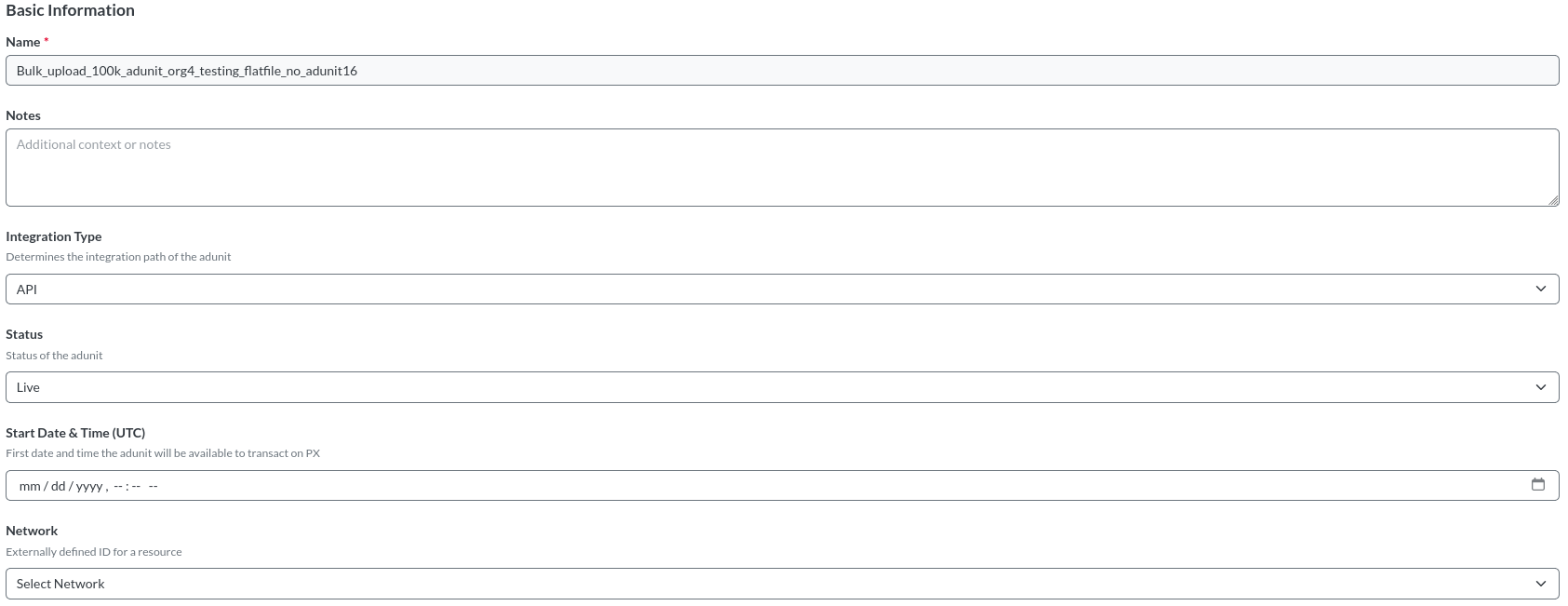
| Field | Description |
|---|---|
| Name | The name serves as a unique identifier to reference a Publisher screen, which the platform refers to as an AdUnit. While administrators typically create human-readable names, the system accepts other formats. |
| Notes | Any specific information related to adunit. |
| Integration Type | This determines the integration path of the adunit. The platform supports the following types:
The default value is API. |
| Status | Used to understand if adunit can be purchased through Place Exchange today. The adunit can have one of the following statuses:
|
| Start Date & Time (UTC) | The start date defines the first day an AdUnit becomes available for transactions on Place Exchange. The system supports the following date formats: MM/DD/YYYY, YYYY-MM-DD, MM/DD/YY, and MM-DD-YYYY. Furthermore, you must set the start date to January 1, 2000, or later. To prevent the Year 2038 problem, the system requires you to enter a date prior to January 18, 2038, at 6:59 PM EST. |
| Network | Adunit associated with the network. |
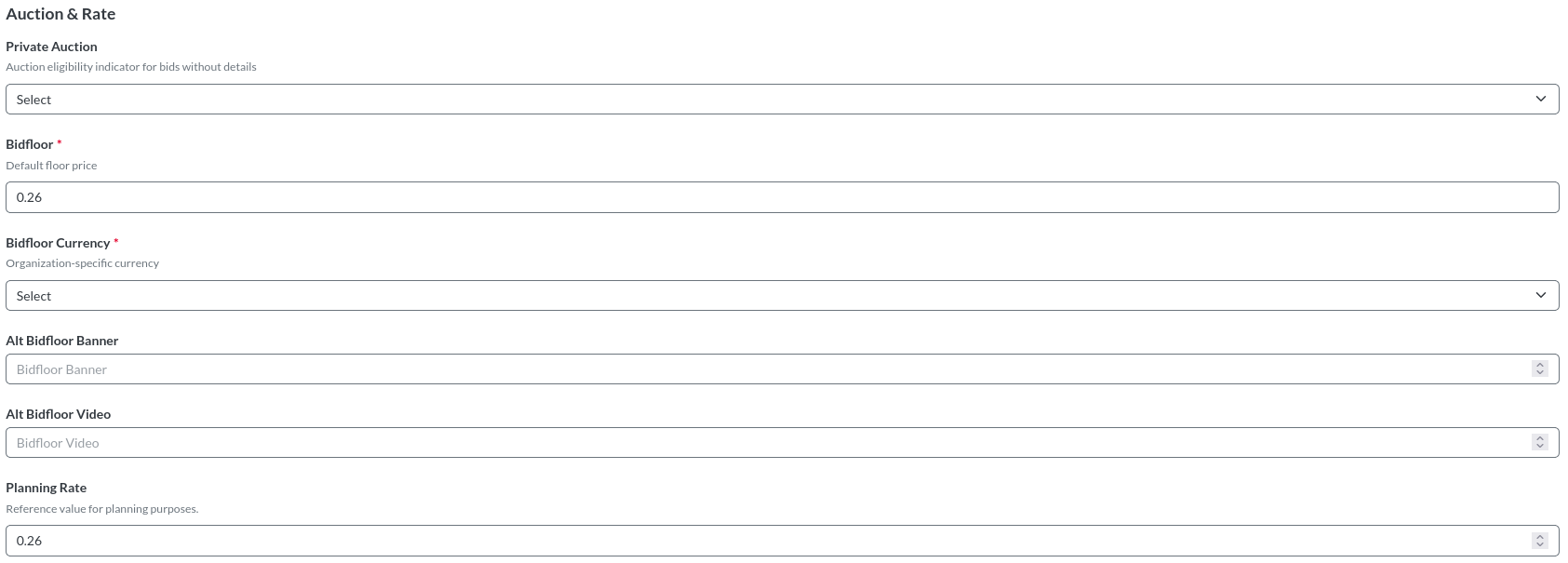
| Field | Description |
|---|---|
| Private Auction | This parameter determines the auction eligibility for bids that lack deal IDs. If the system registers no value on the inventory and the ad request includes no value, the system treats the request as a private_auction request for the specified deals. |
| Bidfloor | The Default Floor Price establishes the baseline monetary value for an impression. Deal-based floor pricing or a specific bid floor included on an individual ad request overrides this default setting. |
| Bidfloor Currency | Floor Price Currency. Available options are the currency set at the organization level. |
| Alt Bidfloor Banner | Additional bidfloor value that might apply to different types of advertising for a transaction. |
| Alt Bidfloor Video | Additional bidfloor value that might apply to different types of advertising for a transaction. |
| Planning Rate | Used for planning forecasts. If the Planning Rate is left blank or set to 0, the Bidfloor price will be automatically applied. |

| Field | Description |
|---|---|
| Width | The width in pixels, which ensures the system properly processes transactions, supports planning purposes, and serves compatible creatives. |
| Height | The height in pixels, which ensures the system properly processes transactions, supports planning purposes, and serves compatible creatives. |
| Min Duration | The minimum allowed creative duration, in seconds, for ads shown on the screen. |
| Max Duration | The maximum allowed creative duration, in seconds, for ads shown on the screen. |
| Ad Formats | Providing accurate sizes ensures the inventory is correctly configured for both transaction and planning purposes.
|

| Field | Description |
|---|---|
| Provider |
|
| Impression Multiplier |
|

| Field | Description |
|---|---|
| Latitude | Represents the screen’s position north or south on the Earth. This value helps the system identify the screen’s exact location. |
| Longitude | Indicates how far east or west the screen is located on the Earth. This value allows the system to accurately pinpoint the screen on the map. |
| Horizontal Accuracy | Radius of uncertainty for the location of the screen measured in meters. |
Refer to Inventory Management FAQs and Tips for commonly asked questions and resolutions.
Read only user not able to update deal
A user with read only permission cannot update an adunit. The Update Adunit button is disabled.
If you need to create and edit adunits or perform similar functions in other parts of the portal, email help@placeexchange.com to request the appropriate permissions.
- Publishers can upload or update a maximum of 20,000 AdUnits per file.
- The upload process typically takes up to 80-110 minutes to complete, depending on the data in the file. However, in certain cases, it may extend to 2.5 hours.
- Users can make at most 5 concurrent uploads. For example, after one upload is initiated, even before it completes, another upload with a different set of data can be started. We recommend limiting the number of concurrent uploads to at most 5 to avoid delays or failures.
- As our uploader tool uses strong caching, you may encounter unexpected errors even if the data is valid. We highly recommend using INCOGNITO within your browser for the cleanest experience.
To update multiple adunits:
Place Exchange
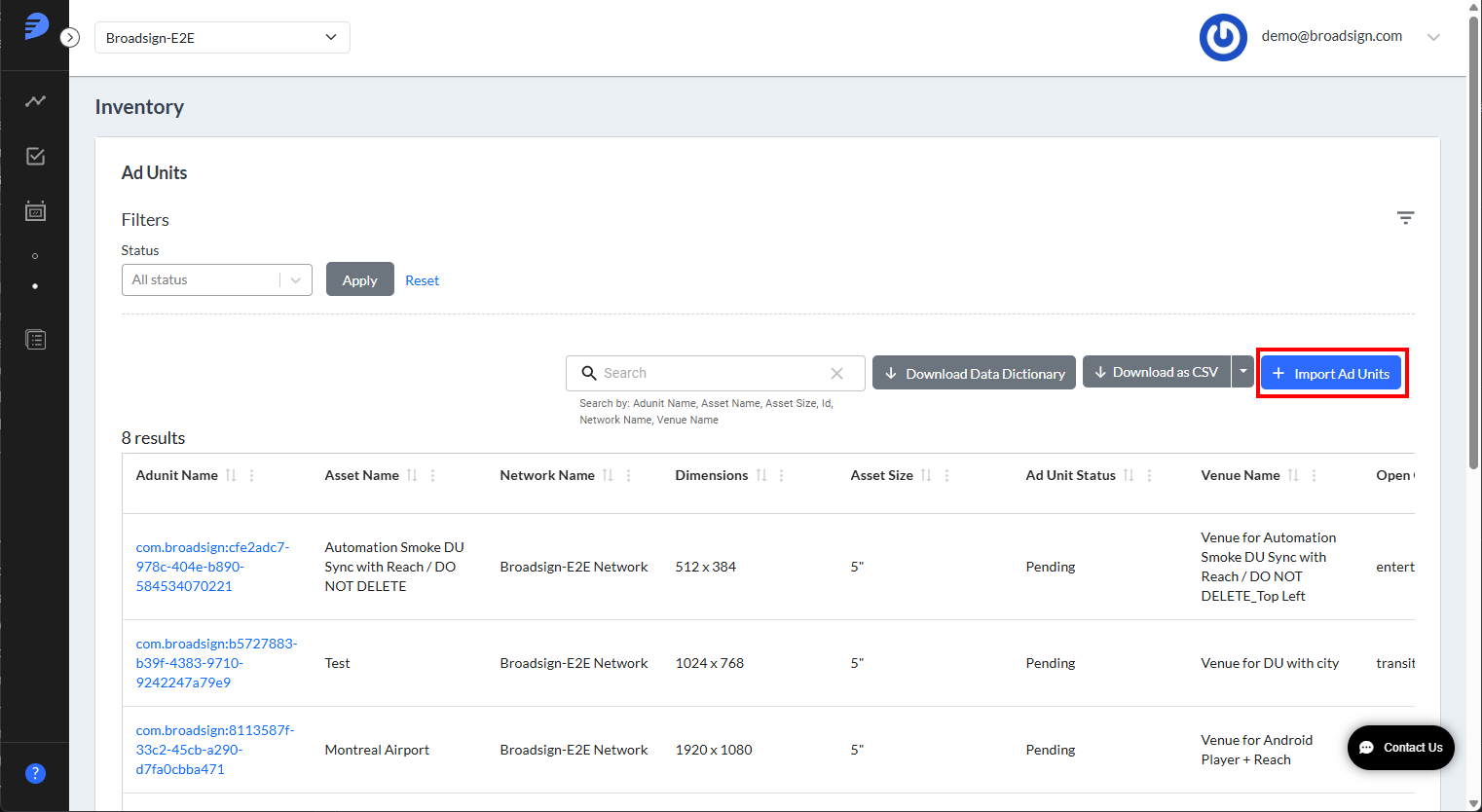
- Access the Place Exchange Publisher Portal and select Ad Units under the Inventory menu on the left.
- Click on Import Ad Units.
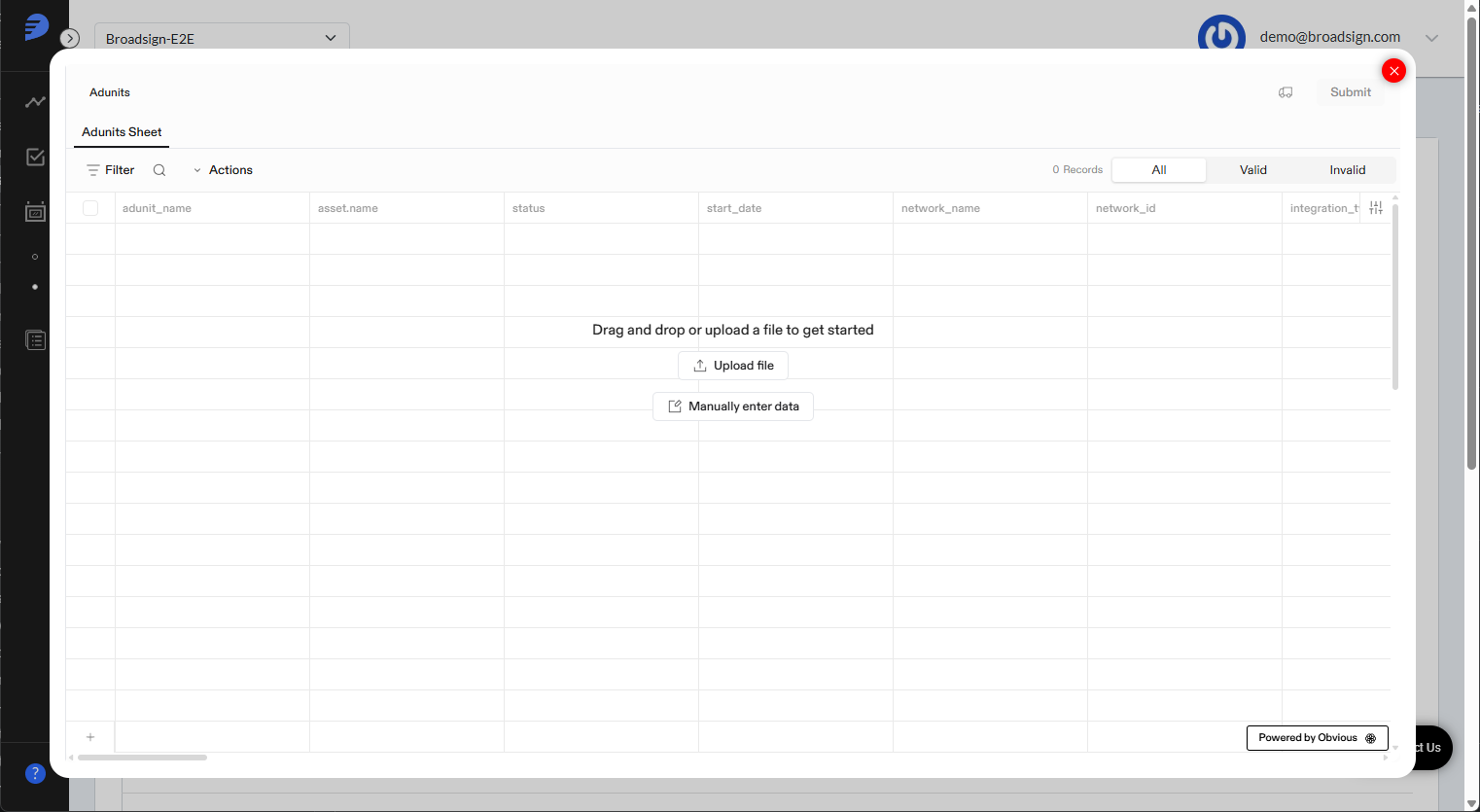
- uploading a file
- manually entering your data in the embedded spreadsheet
- Cross-check all entries and edit the values directly in the view if you identify any discrepancies.
- Hover over any highlighted cell to view the specific error message and corrective instructions.
- Place Exchange validates and corrects location data for ad units. If the provided latitude and longitude do not match the city, country, DMA, or DMA code, the location fields are corrected based on the latitude and longitude. The corrected location is then stored in the system, and the user is notified via an "Auto-correcting locations for accuracy" notification. This notification appears only the first time a user logs into a browser and uploads ad units; however, the auto-correction feature continues to work with every subsequent upload, ensuring accurate location data.
- After all highlighted issues are fixed and the data looks correct, click on Submit.
- Clicking on OK will take you to the AdUnit Summary view. Newly uploaded or updated records will take time to reflect on this view. Users can navigate to any page and perform other actions in Portal while the upload is in progress.
- Once the upload is completed, you will receive an e-mail notification from portal-updates@notify.placeexchange.com indicating success or failure.
- Download the attached CSV from email.
- The CSV contains two columns called
adunit_nameanderror. Theerrorcolumn will help you to understand why the record did not get updated. - Fix the record in the original uploaded file and re-upload the same file.
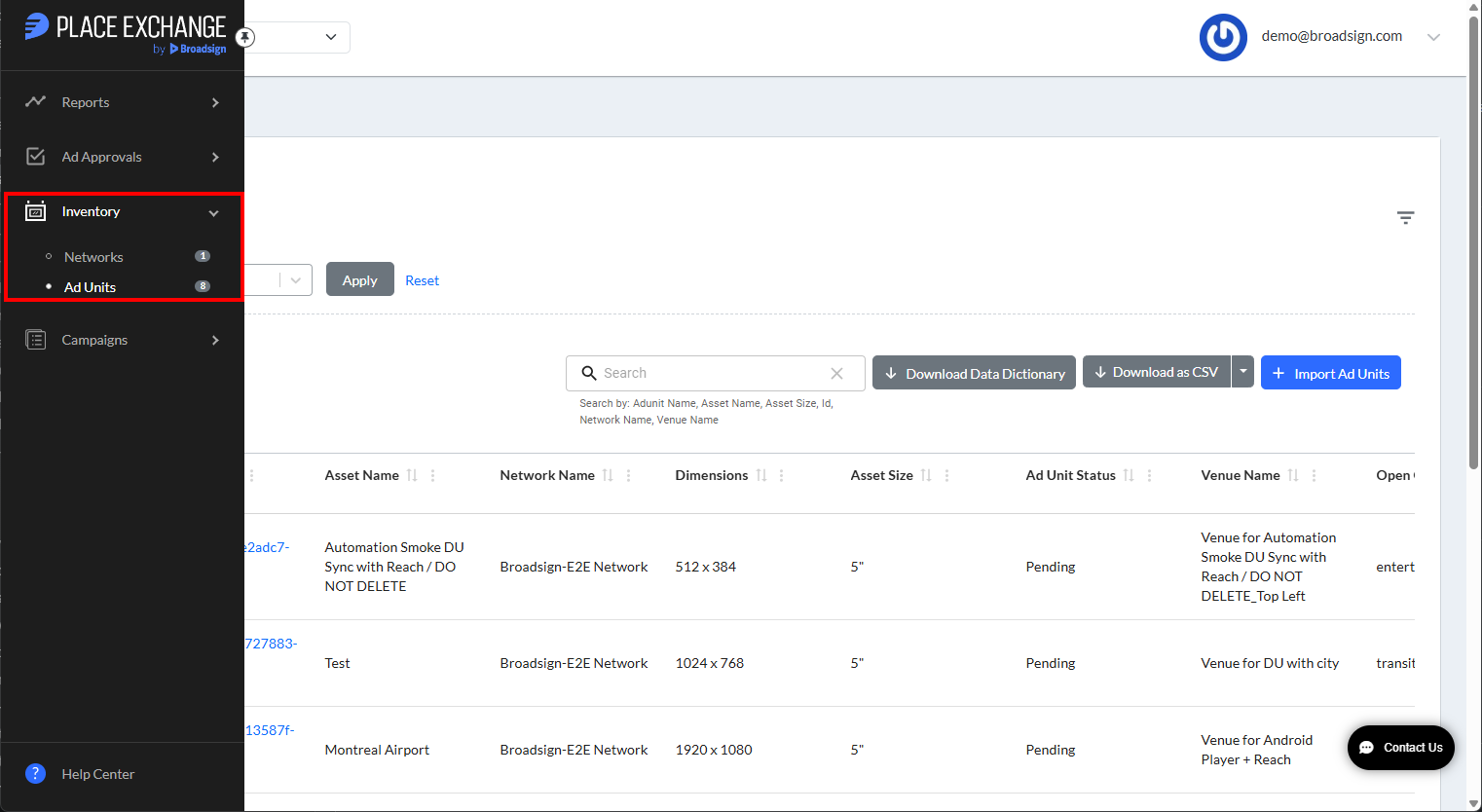
You are presented with a window giving you two options
For a sample of the format of the file or for updating existing Ad Units, click on Download as CSV or Download as Excel.
Note: The system supports the following date formats: M/D/YYYY, MM/DD/YYYY, MM-DD-YYYY, and M-D-YYYY. Furthermore, you must set the start date to January 1, 2000, or later. To prevent the Year 2038 problem, the system requires you to enter a date prior to January 18, 2038, at 6:59 PM EST.
The Flatfile Auto-Mapping feature automatically maps columns and drop-down values in the background. Once the system completes the mapping, it directs you to the Review section.
The Review section displays the data from your uploaded file for final verification. The system highlights cells containing invalid values with a red border. Use this view to perform the following actions:
Note: Users won't be able to submit the adunits until all the records are valid. so make sure to correct them or delete the invalid records.


If all the data entered is valid, a confirmation pop-up is displayed. Click Yes to submit.
On upload, it displays a pop message "Ad Units upload has started. Upon completion, you will be notified via email."
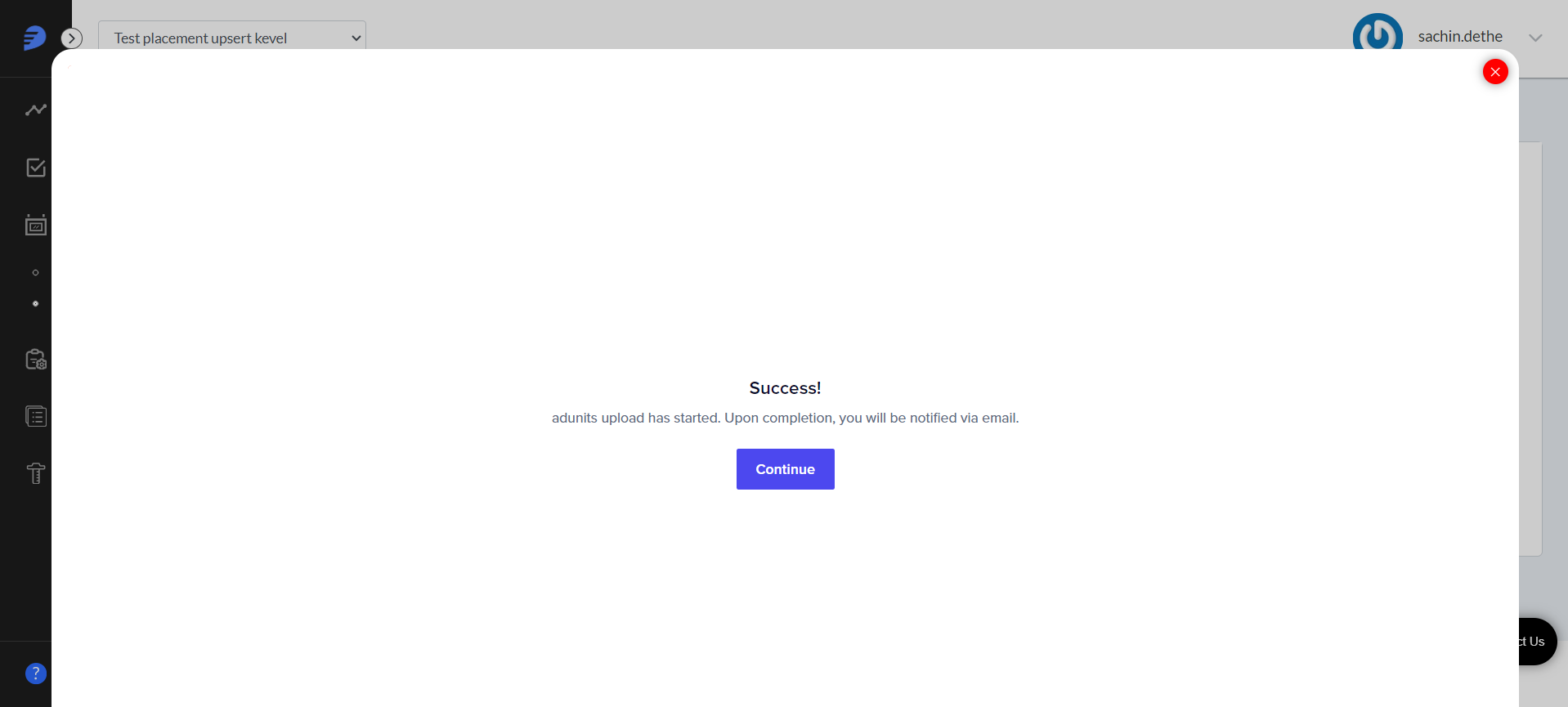
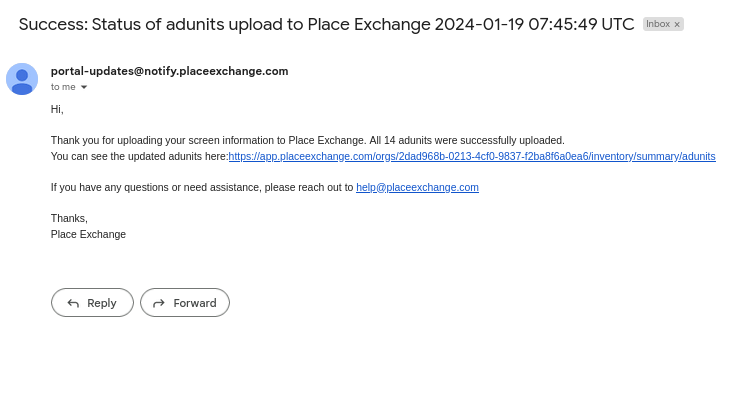
You will also see a Portal pop-up notification upon completion.
Note: If you upload multiple files, you will get multiple notifications for each file.

If an error occurs, you will receive a notification message 'File Upload Failed' highlighted in RED.

You may receive detailed error information in the attached CSV file via the email from portal-updates@notify.placeexchange.com.

Troubleshooting
Making Updates for Video Inventory
Publishers capable of accepting video creatives must set a few additional key attributes:
capability:- Can be specified on the
adunitor eachadrequestinside theassetobject. - Set the capability
videototrueto indicate an asset supports video (default isfalse).
- Can be specified on the
mimes:- Can be specified on the
adunitor eachadrequestinside theassetobject. - Supported mimes should include
video/mp4to indicate an asset supports video. For requests to support additional mime types, email help@placeexchange.com.
- Can be specified on the
alt_bidfloors(Alternative Bidfloors)alt_bidfloorsfor video and banner that can be specified onorganization,network,adunitor eachadrequest.- If not set or set to 0, this will be ignored and we will continue using the
auction.bidfloorthat has been set elsewhere. - If specified, the given
alt_bidfloor(video or display) will be used instead of the generalauction.bidfloorfor clearing bids, calculating win price, and ad discovery auto rejection.
Making Updates for PerView-Enabled Inventory
PerView is Place Exchange's offering for Reach, Frequency, and Impression measurement for OOH media. Contact your partnership manager or email help@placeexchange.com for more information about PerView.
For Publishers who are current PerView customers, see the following to enable PerView for registered inventory:
asset.capability.perview:
- A boolean that can be set on the
adunit. - Default is
false. - Setting this value to
truemeans that PerView measurement data will be generated for thisadunit. PerView data will not be generated iffalse.
Note: For non-PerView customers, setting this to true has no effect.
Troubleshooting
- Chrome became unresponsive, forcing the publisher to exit the page
- This issue is caused by the processor Clock Speed of your machine.
- Use a machine that meets the following minimum specifications:
- Processor: Intel Core i5 or i7
- Clock Speed: 2.0 GHz or higher
- Using a more powerful processor significantly improves data processing speeds.
- If you meet these hardware requirements and the issue persists, contact your Partnership Manager or email help@placeexchange.com. Include your specific machine configurations in your message to help our team troubleshoot the issue effectively.

The hardware configuration of your machine directly impacts the performance of the Flatfile import tool.
