

This page describes the configuration of the Audience source.
Audience Source
The Audience source allows fetching audience data.
As the DOOH industry moves towards programmatic trading, online buyers require more than simple statistical data (that is, Route/Neilsen/GeoPath). For example, real-time audience measurement and accountability in audience analytics is required.
The Audience source allows you to do the following:
- Select real-time audience source.
- Enable and disable audience measurements to be sent in Broadsign Reach bid requests.
- Enable and disable audience measurements to be reported in campaign performance reports and proofs of plays.
- Configure the URL and port.
Prerequisites
The Audience source is an advanced feature of Broadsign Control Administrator.
Before configuring this feature, ensure that you are familiar with the following:
To include audience data in your reports, you must configure an Audience source in a configuration profile for your player.
To configure the Audience source:
- Create a configuration (see Configurations).
- Create a player configuration profile (see Configuration Profiles - Players).
- Open the Configuration Profile Properties, and go to Integrations > Audience (see The Audience Tab).
- Select one of the available Audience sources. Selecting any of them will bring up relevant configuration parameters.
- Use Statistical Audience from Guaranteed Campaign – Allows you to automatically download the audience from Guaranteed Campaigns (Broadsign Direct). See Statistical Audience from Guaranteed Campaign).
- Use Custom Statistical Audience – Allows you to import data from file-based CSV statistics audience modeling. See Custom Statistical Audience).
- Use Real-Time Audience API – Allows you configure a player to connect to the Broadsign Control Real-Time Audience API. See Real-Time Audience API Audience Source).
- Use Real-Time Audience with Quividi AVA – Allows you to configure a Broadsign integration with Quividi technology. See Real-Time Audience with Quividi).
- Click OK or Apply.
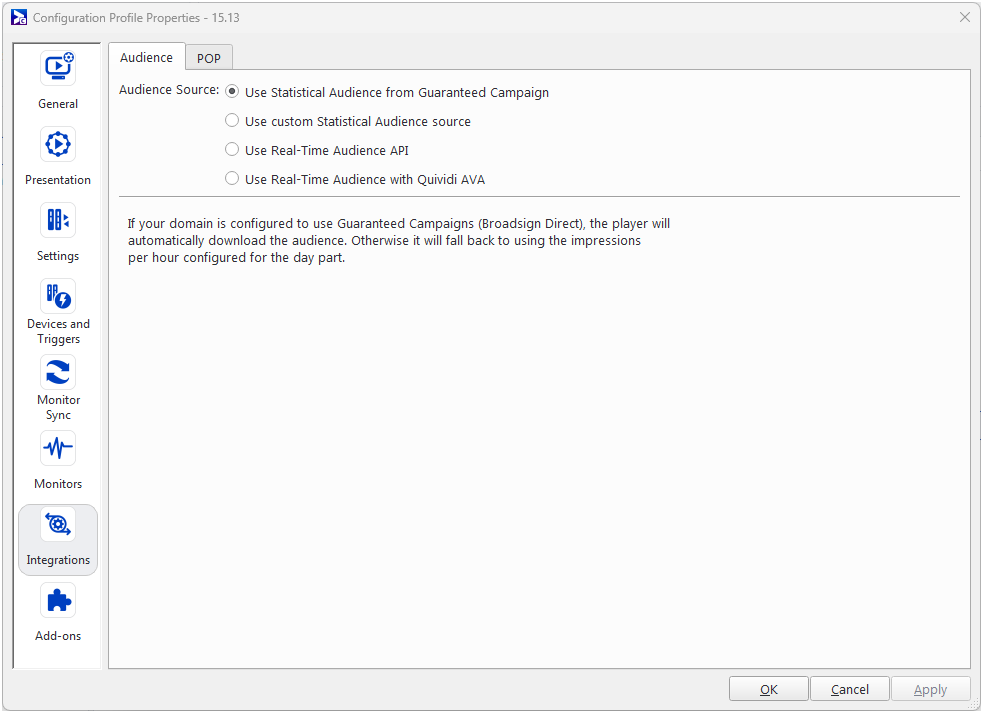
Note: The Use Statistical Audience from Guaranteed Campaign source is the default audience source


