 minute read
Note: The Place Exchange Portal is available to users with the Admin, Programmatic Admin, or Programmatic Sales Manager role.
Place Exchange Module
Place Exchange is the first platform to bring Out-of-Home (OOH) advertising into the same space as your other digital marketing channels. We unify how you execute campaigns, see your results, and measure success—all with massive scale, full transparency, and built-in brand safety.
Access Place Exchange by clicking the Place Exchange module in the navigation bar.

Note: The Place Exchange Portal is available to users with the Admin, Programmatic Admin, or Programmatic Sales Manager role.
The Place Exchange platform opens in a new tab.
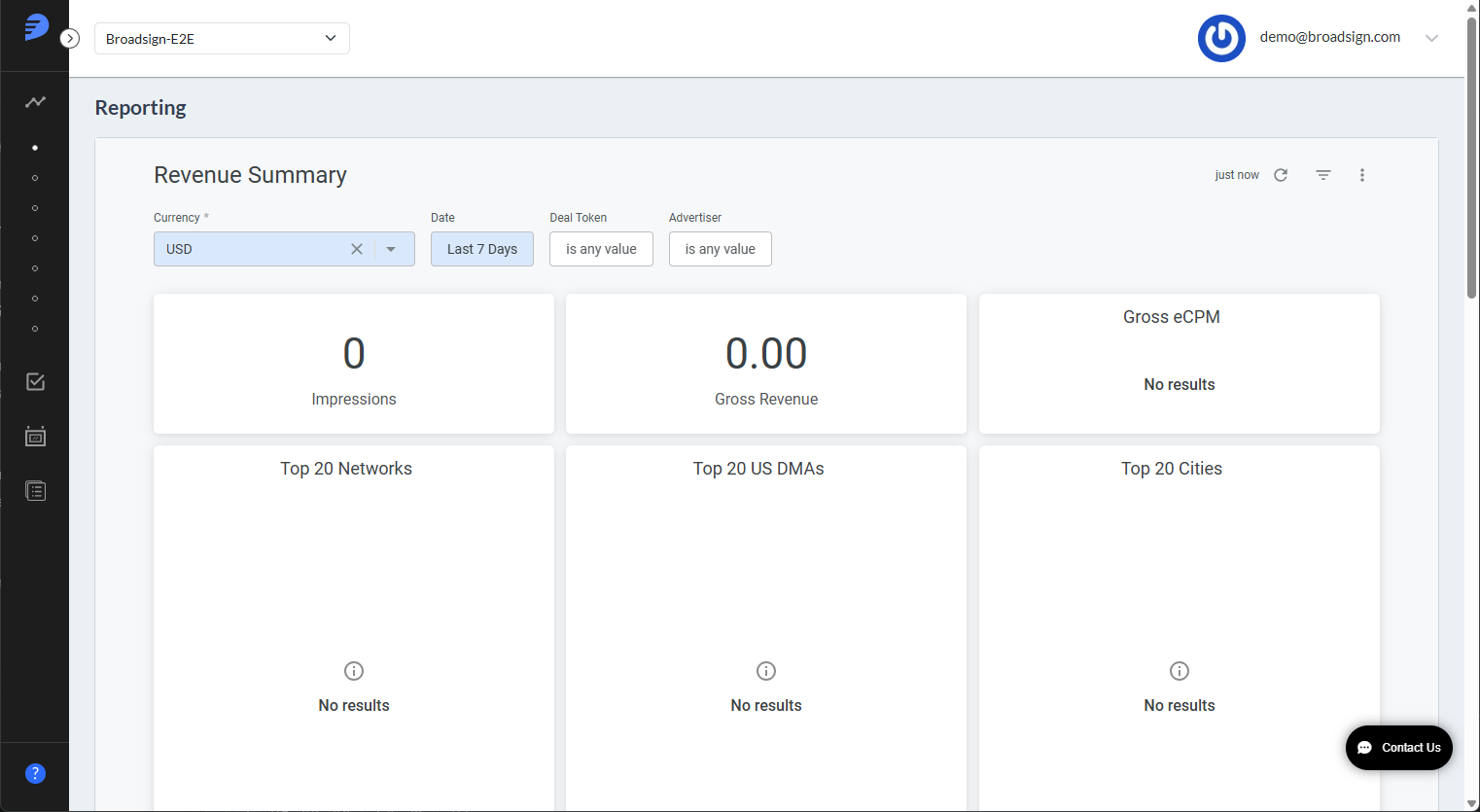
The following video gets you started with a quick overview of platform access and navigation basics.
Place Exchange makes it easy for digital screen owners to sell their space to advertisers automatically.
- Connect Your Way – Use a variety of simple or technical methods to link your screens to our system, including support for major industry players like Broadsign and Vistar.
- Flexible Selling – Choose how you want to sell your inventory, from private deals and guaranteed packages to open auctions.
- Total Control – Manage your inventory settings and use comprehensive creative controls to approve or block ads before they ever appear on your screens.
Access premium digital billboards and screens from leading providers like Lamar, Outfront, and ClearChannel directly through the marketing platforms you already use.
- Smart Planning – Use maps and location tools to find the perfect screens based on ZIP codes, neighborhoods, or specific points of interest.
- Flexible Ad Formats – Run your ads in various styles, including standard web banners and video, with tools that help your creative fit different screen sizes automatically.
- Privacy-First Results – Our system is built with consumer privacy at its core (fully CCPA and GDPR ready). We provide the data you need for attribution and retargeting without compromising security.
Some of the default terminology in the Place Exchange platform may differ from your company’s.
Deal
A deal is the formal business agreement between a buyer and a seller that outlines their specific contractual terms. Each deal is defined by the following attributes:
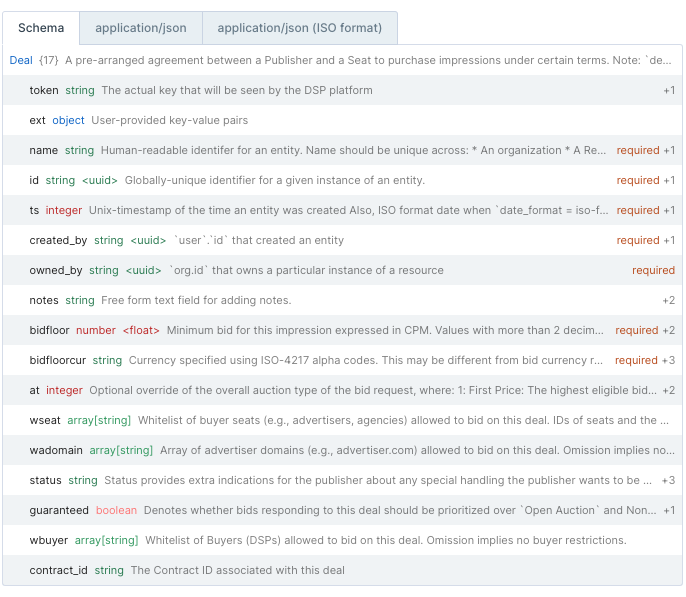
The primary way different platforms recognize and link to these agreements is through a "Deal Token". However, it is important to note that different platforms use different names for this identifier. For example:
- MediaMath – Generally uses the term "Deal ID" and provides users the flexibility to rename these identifiers.
- Amobee – Refers to it as a "Deal ID" during the initial setup but displays it as a "Deal Name" when you are selecting your targeting options.
- The Trade Desk (TTD) – Customizes the label based on the specific partner involved. For example, you may see it listed under a partner name like Freewheel (StickyAds) depending on where you are looking in the platform.
Variable-Priced Deals
A Variable-Priced Deal is a setup that helps both buyers and sellers by grouping different pricing options under a single umbrella.
Instead of creating a completely separate setup for every different price point, multiple deals, each with its own minimum price (floor), are linked together by one shared Deal Token.
This offers two main benefits:
- For Buyers – It simplifies the process of starting and running a campaign because you only have to manage one token instead of many.
- For Sellers – It allows for pricing flexibility, ensuring they can offer different rates within a single, organized agreement.
You can manage deals in the Portal (see Deal Management) or via the API.
Placement
A placement organizes and connects your advertising space to your business agreements. It acts as a bridge that links a specific group of inventory, such as your Networks and AdUnits, to one or more deals.
By using placements, you can easily manage which screens are eligible to run ads for specific contracts, making it simpler to direct the right campaigns to the right locations.
You can manage placements in the Portal (see Placements) or via the API.
AdUnits
An AdUnit is essentially a digital profile for a specific advertising space. It acts as a container for all the information (metadata) that describes a screen and its available ad slots.
Each AdUnit contains 68 detailed data points that help buyers understand exactly what they are purchasing. These details stem from several main categories:
- Identification – The name and specific location of the screen.
- Business Rules – Information regarding measurements, auction types, and any specific restrictions.
- Technical Specifications – Physical details like supported file types (asset.mimes), screen slots, and the shape of the screen (aspect ratio).
You have the flexibility to organize and map your inventory in the way that best fits your business:
- By Face – Individual screen faces.
- By Site – Grouping by a specific physical location.
- By Package – Bundling screens together.
You can create and manage these units either through the Portal (see Deal Management) or automatically via the API. For a complete list of definitions and examples for every data point, you can refer to the Data Dictionary.
