 minute read
Ad Approvals Keywords Restrictions
Place Exchange
Keywords allow publishers to tag ad creatives with custom labels during the review process. The system can then match these keywords against restrictions configured on your inventory, so ads tagged with a restricted keyword are automatically filtered out at auction time.
This gives publishers a flexible, custom taxonomy for blocking ads that goes beyond standard IAB categories or advertiser domain restrictions.
The restrictions feature has two parts that work together:
- Tag – During ad review, a publisher assigns one or more keywords to an Ad Approval record. See Add Keywords – Single Ad Approval and Add Keywords – Bulk (Ad Approval List).
- Restrict – A publisher configures
restrictions.bkeywordrestrictions keywords on the inventory (Organization, Network, Ad Unit, or Ad Request level). See Add Keyword Restrictions to Ad Units and Networks (Portal).
At auction time, if an ad carries a keyword that matches a restrictions.bkeywords entry on the inventory being requested, the bid is filtered out.
For example:
| Ad Approval Scenario | Inventory Scenario | Outcome |
|---|---|---|
|
Ad Approval has keyword [“cannabis”] |
Inventory has restrictions keywords [“cannabis”;“alchohol”] |
Bid is filtered out |
|
Ad Approval has keywords [“needs_additional_review_from_john”] |
Inventory has restrictions keywords [“cannabis”;“alchohol”] |
Bid passes thru |

Keywords are publisher-specific. Two publishers can assign completely different keywords to the same ad (for example, one tags it "coke", another tags it "soda") and each publisher's restrictions apply independently.
Keywords follow specific Rules and Validations.
Note: Keywords are case-insensitive when matched against restrictions.
When reviewing an individual ad creative in the Ad Approval Queue, you can assign keywords directly to that record.
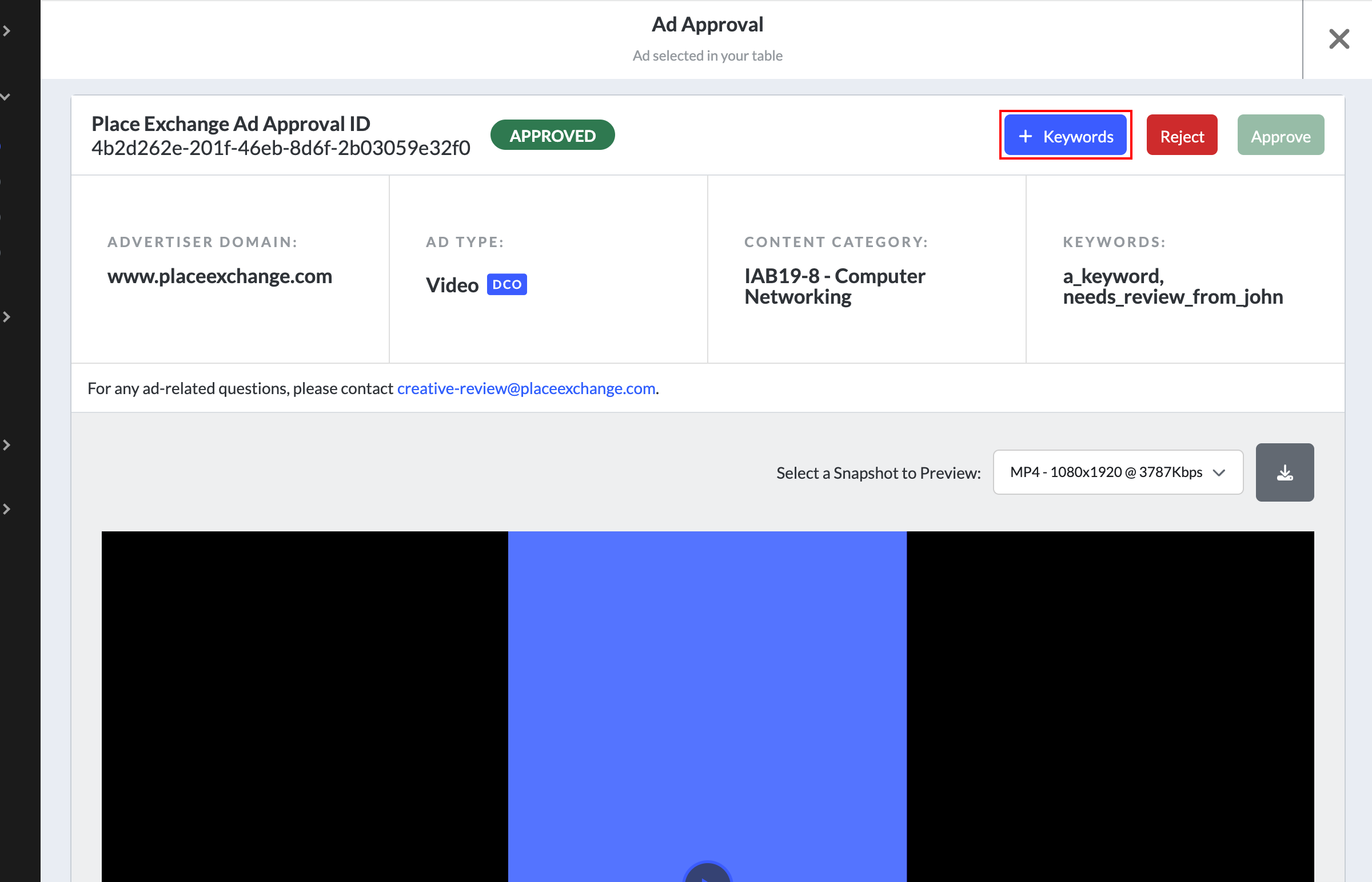
To add keywords for single ad approval:
- Click the name of an Ad Approval record from the queue.
- In the action bar at the top of the record, click the + Keywords button.
- Select existing keywords from the drop-down, type new ones, or paste a comma-separated list.
- Click Save Keywords.
The Ad Approval record opens.
The Add Keywords window opens, pre-populated with any keywords already assigned to this ad.
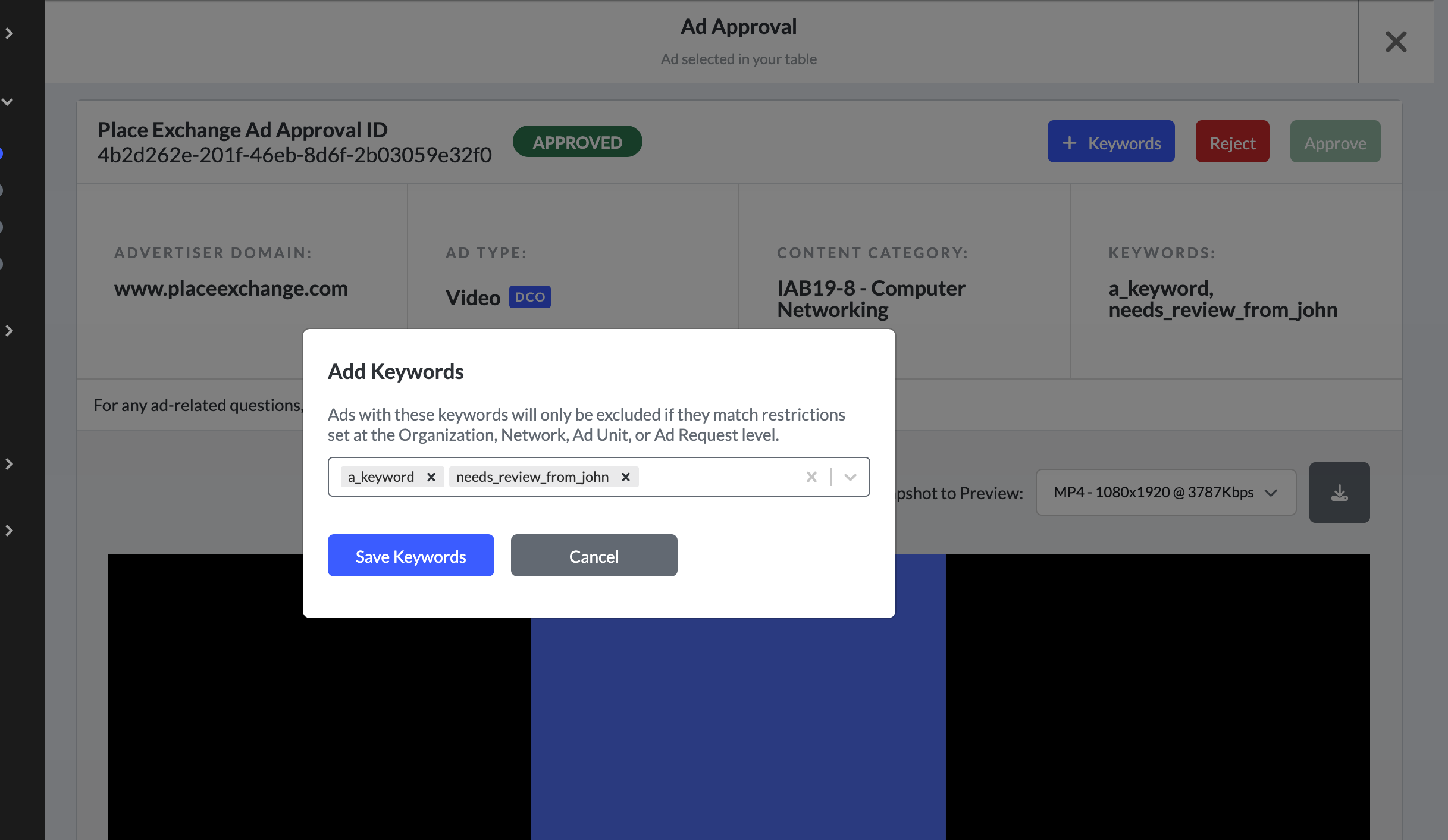
A confirmation message "Keywords added successfully to the record." displays.
Note: Keywords are limited to 35 characters each. Each time you open the Add Keywords window, it reflects the current saved state of the record, so you can add or remove keywords across multiple sessions.
You can apply keywords to multiple ad records at once from the Ad Approvals summary table.
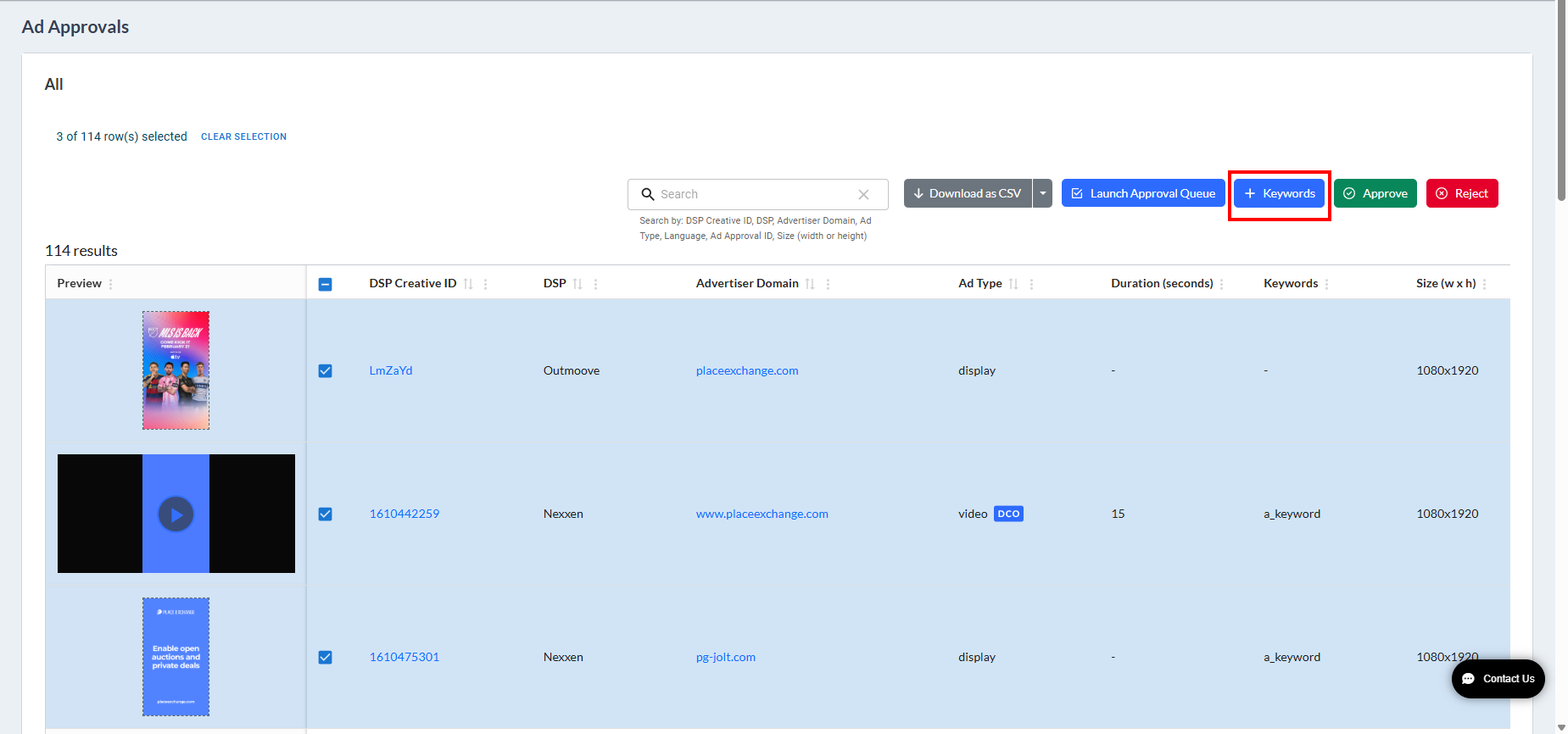
To add keywords for an ad approval list:
- In the Ad Approvals table, select the check boxes for the ads you want to tag.
- Click the + Keywords button in the toolbar.
- Select or type the keywords to apply.
- Set the Replace existing keywords toggle to Yes or No.
- No – The selected keywords are appended to the existing list, which keeps the current keywords intact. This is the default value.
- Yes – All existing keywords are replaced with the new selection.
- Click Save Keywords.
You can select up to 100 records at a time.
The Add Keywords window opens.
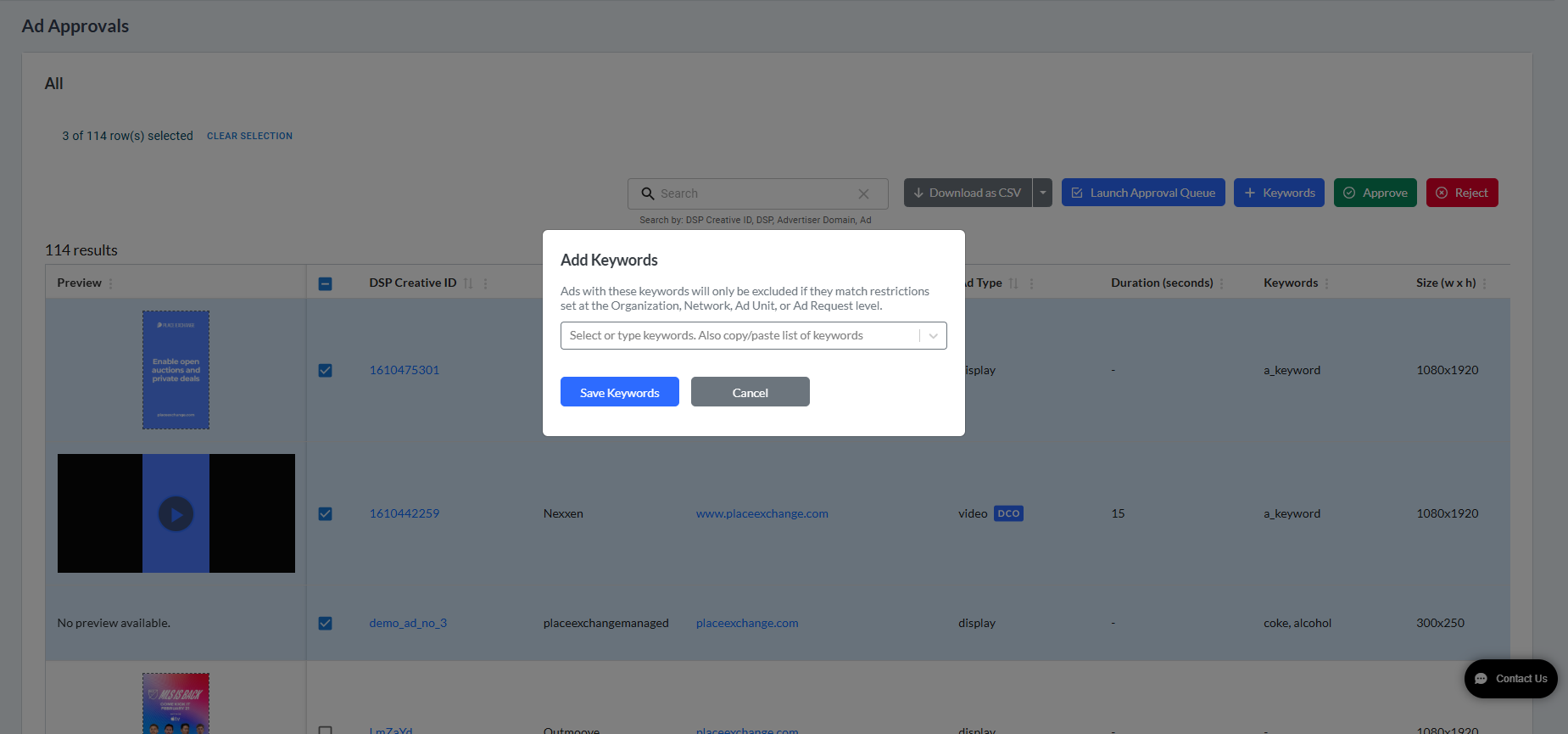
The selected keywords are applied to all chosen records simultaneously.
Note: The same set of keywords is written to all selected records. Existing keywords on individual records are replaced with the new set you provide.
Toolbar Button States
| State | Button Behaviour |
|---|---|
| No rows selected | Button is disabled - "Select the ads to apply keywords" |
| 1–100 rows selected | Button is enabled |
| > 100 rows selected | Button is disabled - "Up to 100 selections allowed" |
| Read-only user | Button is disabled |
The only way to add or update keyword restrictions on Networks and Ad Units is through CSV or Excel file upload on the Portal.
- Use the
restrictions.bkeywordcolumn in the CSV file. This maps to the API fieldrestrictions.bkeywordson the restriction model. - Publishers can add or update Organization-level restrictions via the Admin UI or the API.
To add restrictions to Ad units using keywords:
Place Exchange
- Open the Ad Units summary page at Inventory -->Ad Units.
- In the action bar at the top, click the + Import Ad Units button.
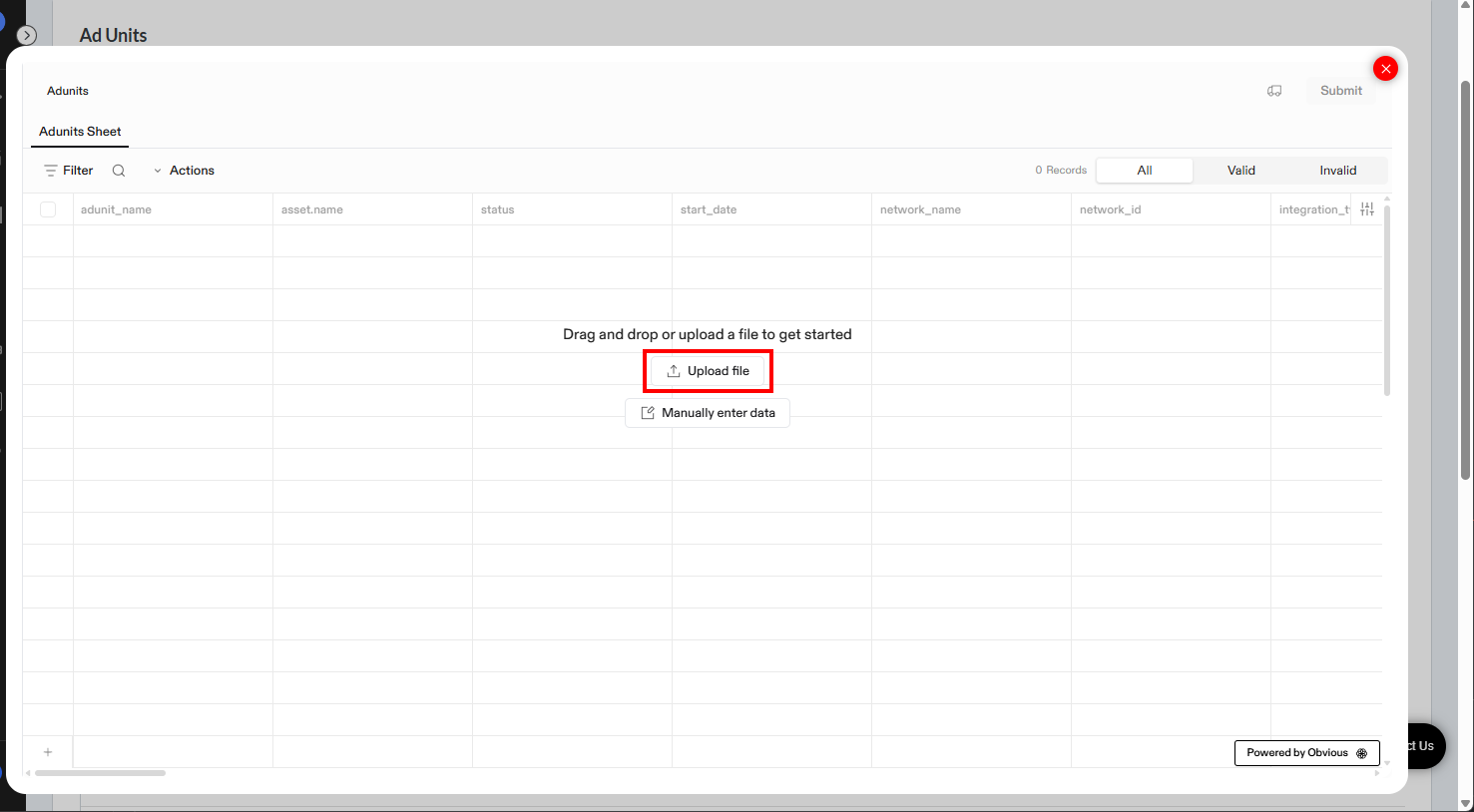
- Click Upload file to upload a CSV/Excel file of ad units after filling out all required data.
- To add the restrictions, include the
restrictions.bkeywordcolumn with keyword values. - Make sure all rows are shown in “valid” records.
- Click Submit.
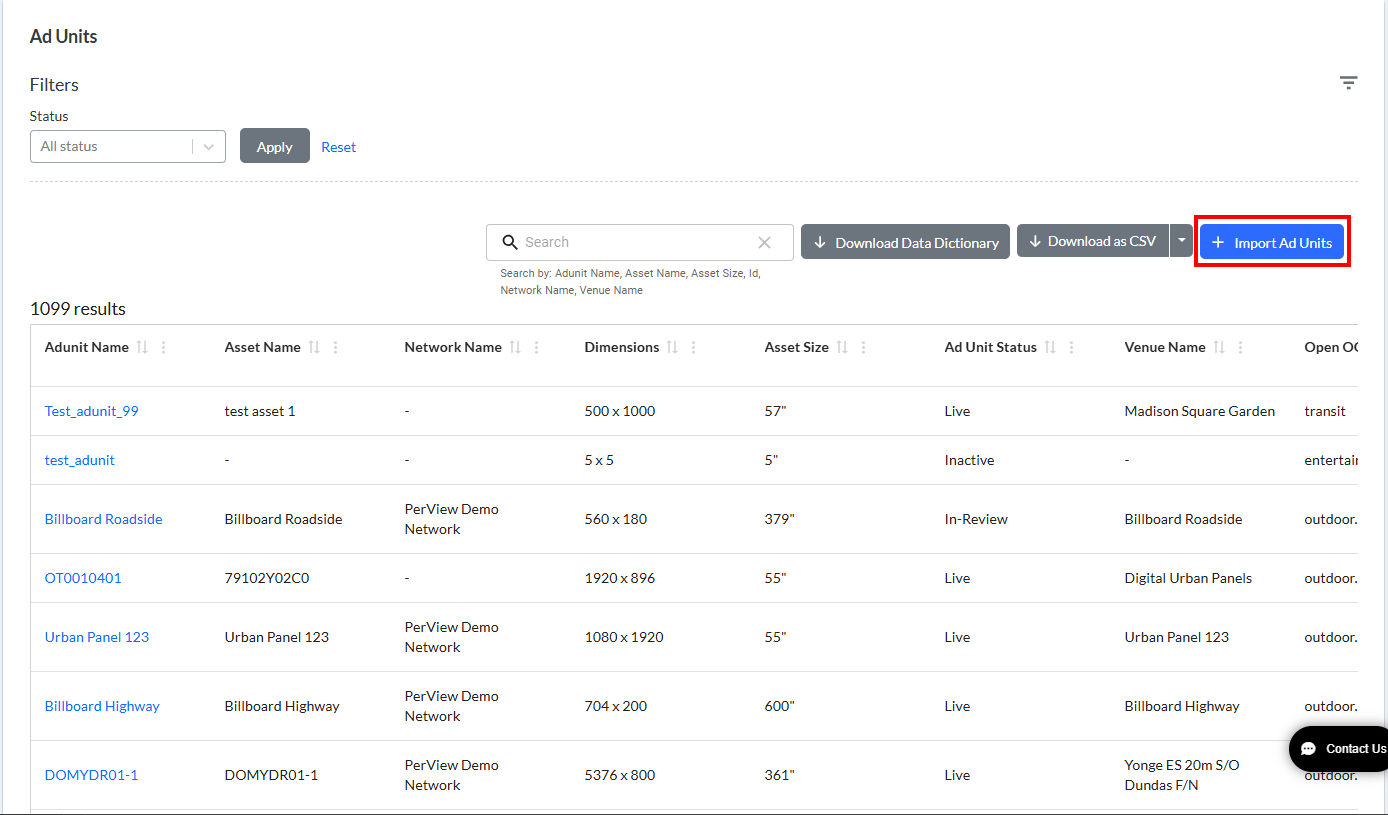
The Adunits window opens.
For more information, see Using Keywords in Place Exchange.
A Success message displays upon adding Ad Units. This maps the existing keywords to the ad units. If keywords are not present, the system creates new keywords automatically.
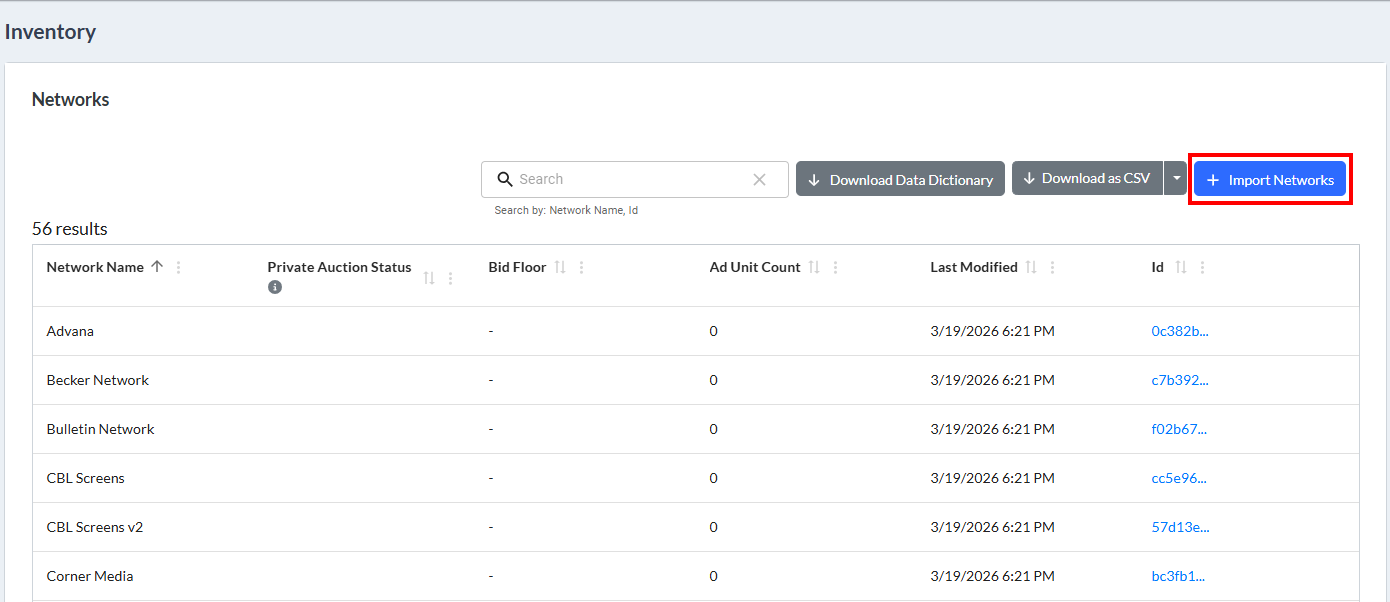
You can add restrictions keywords to Networks in the same way by going to Inventory –> Networks, and then click +Import Networks.
When you export ad unit or network data to a CSV file, the restrictions.bkeyword column displays the keyword restrictions currently applied to that inventory. See Add Keywords – Single Ad Approval and Add Keywords – Bulk (Ad Approval List).
At auction time, if an ad carries a keyword that matches a restrictions.bkeywords entry on the inventory being requested, the bid is filtered out.
When the Ad Approvals feature is enabled for your organisation, a Keywords column appears in the Ad Approvals table, showing the keywords currently assigned to each record.
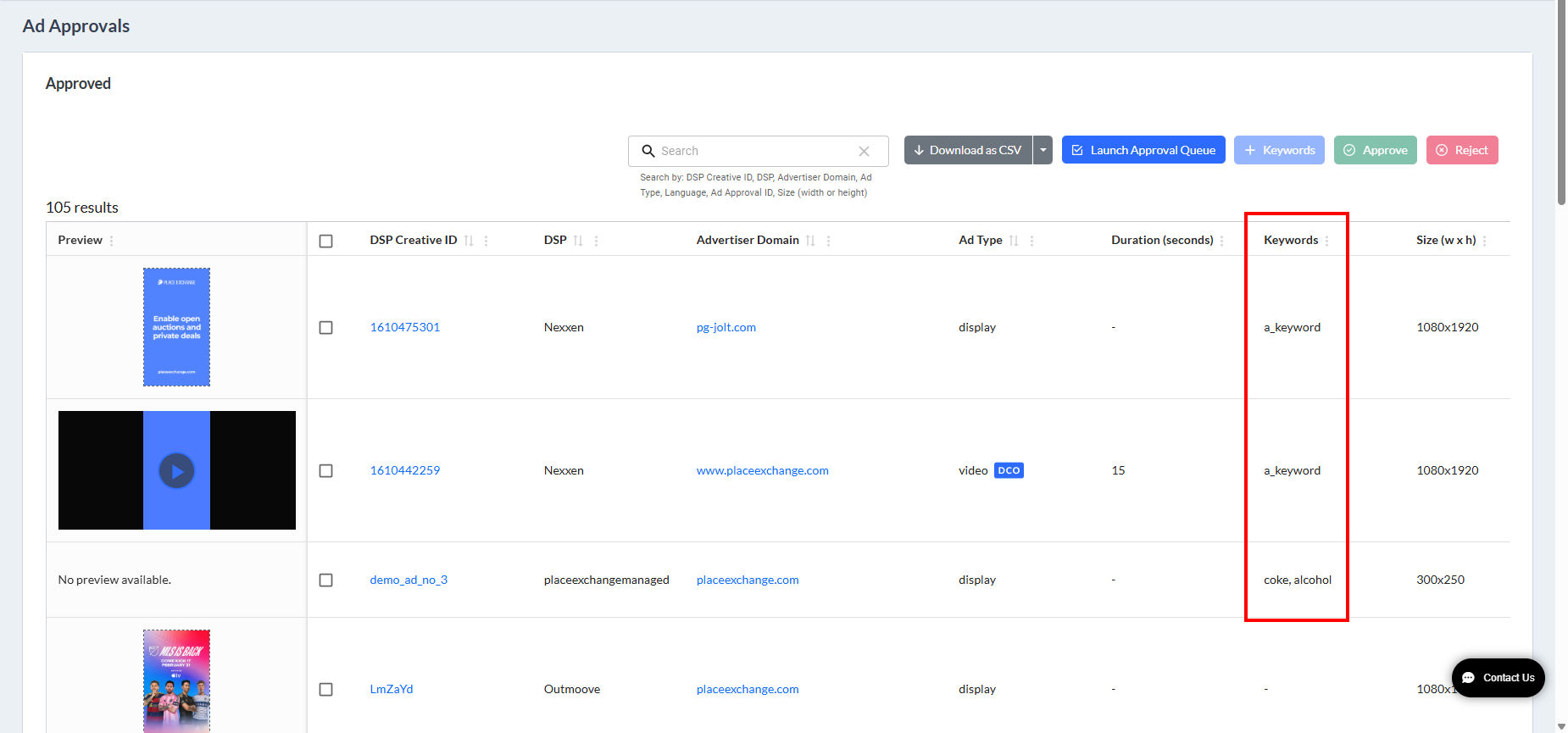
Keywords are included in all Ad Approval data exports. The column header in the downloaded file is keywords.

No. Adding keywords does not change the Approved / Rejected / Pending status of the record. Keywords are a separate metadata field.
Saving with an empty selection will clear all existing keywords from the selected record(s).
No. Keywords only affect bids from the moment they are saved onwards.
