 minute read
Broadsign Platform Release Notes
This page contains the complete release notes for all releases of the Broadsign Platform.
Copy allocation (Static Operations)
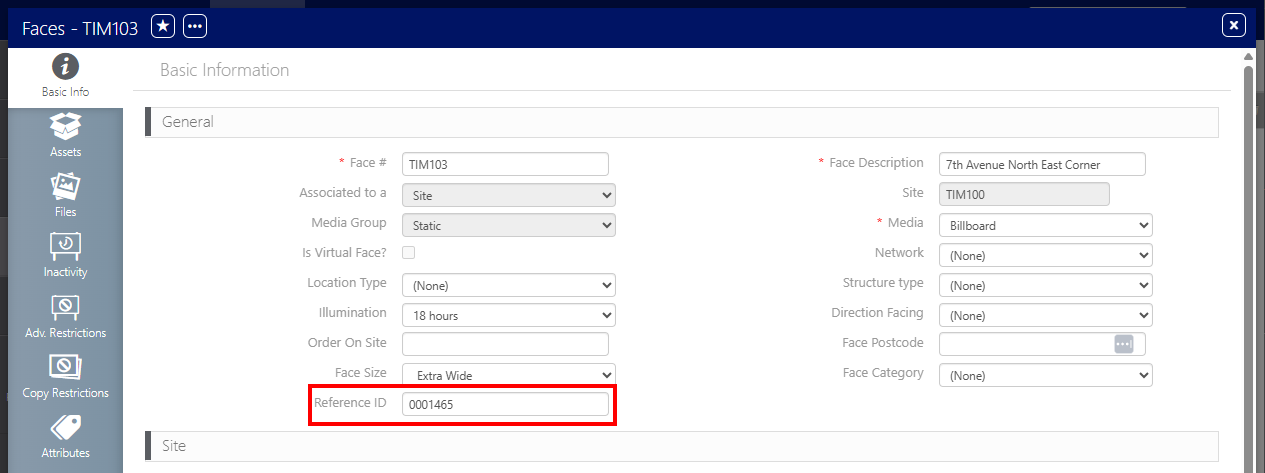
Reference ID (Static Operations)
Third-Party Players Inventory Support (Inventory)
Bulk Edit on Vehicles (Static Operations)
Use campaign name as default line name (Domain Settings)
Campaign Maps Download (Static Operations)
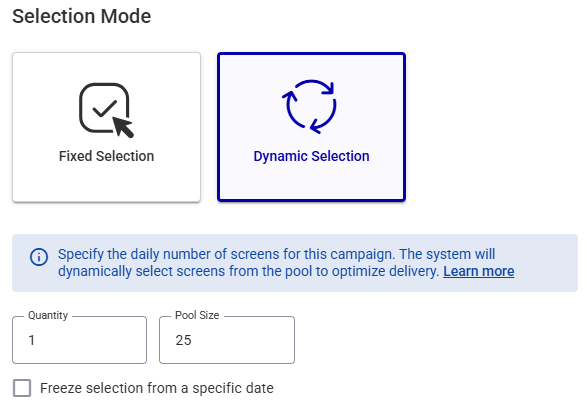
Redesigned Dynamic Screen Selection Flow (Guaranteed Campaigns)
Sales User Campaign Visibility Restriction (Guaranteed Campaigns)
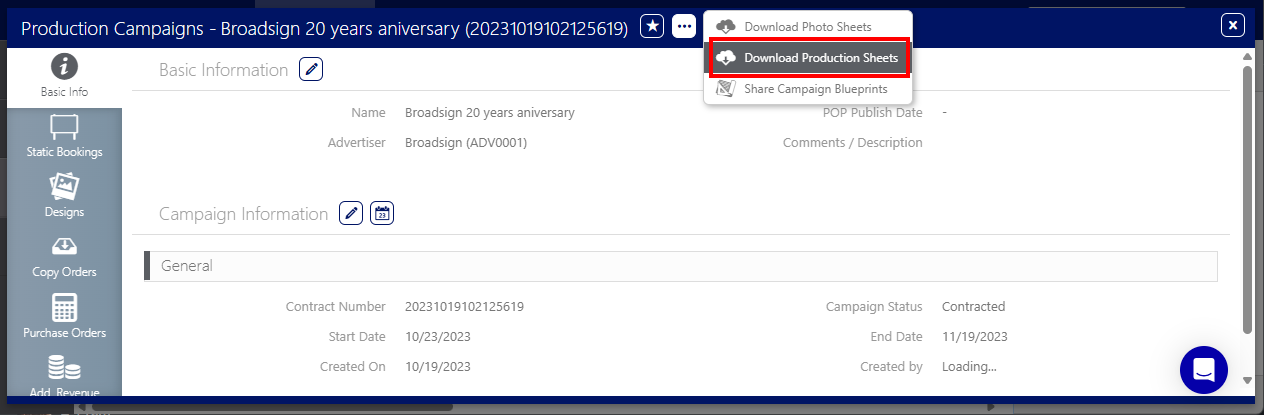
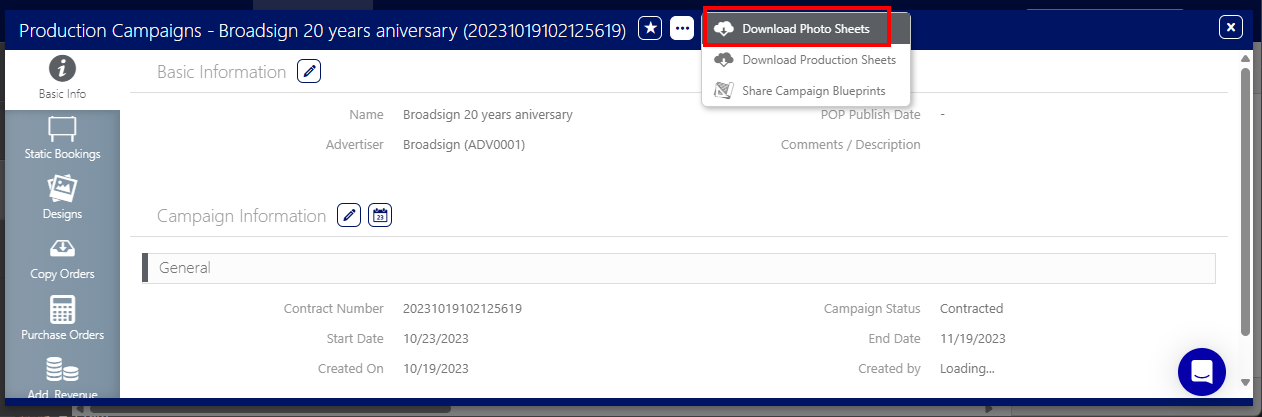
Download Photo Sheets at the Campaign level (Static Operations)
Download the Production Sheet at the Campaign level (Static Operations)
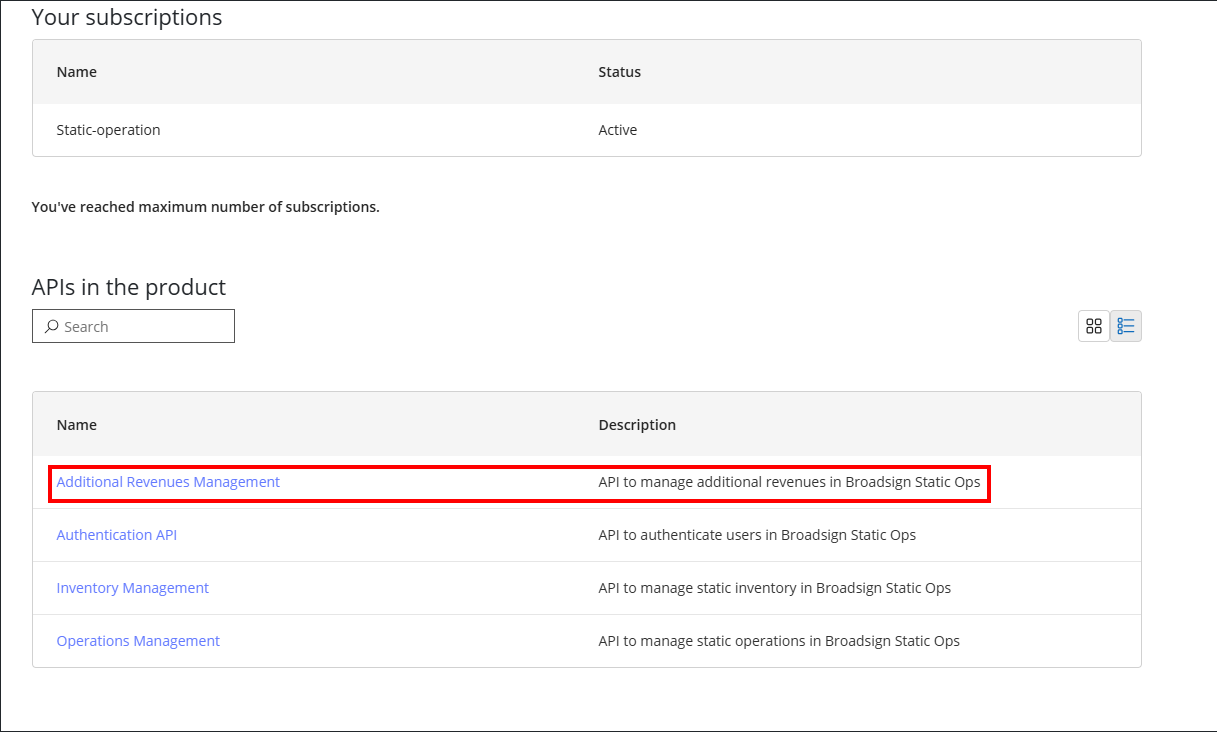
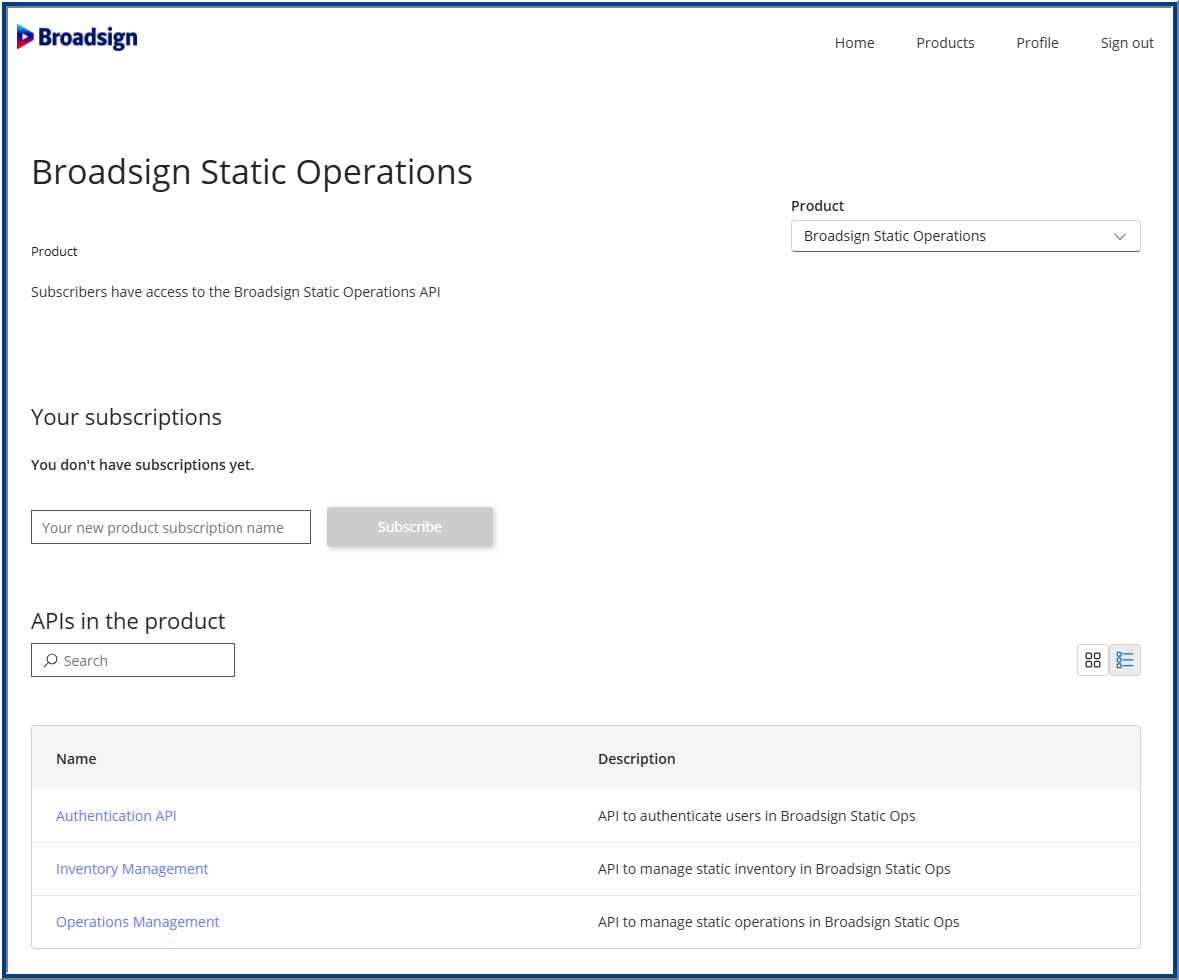
Additional Revenues Management API Product (Static Operations)
Rebalancing After Blocking Day Part Updates (Guaranteed Campaigns)
Advanced Availability Check (Guaranteed Campaigns)
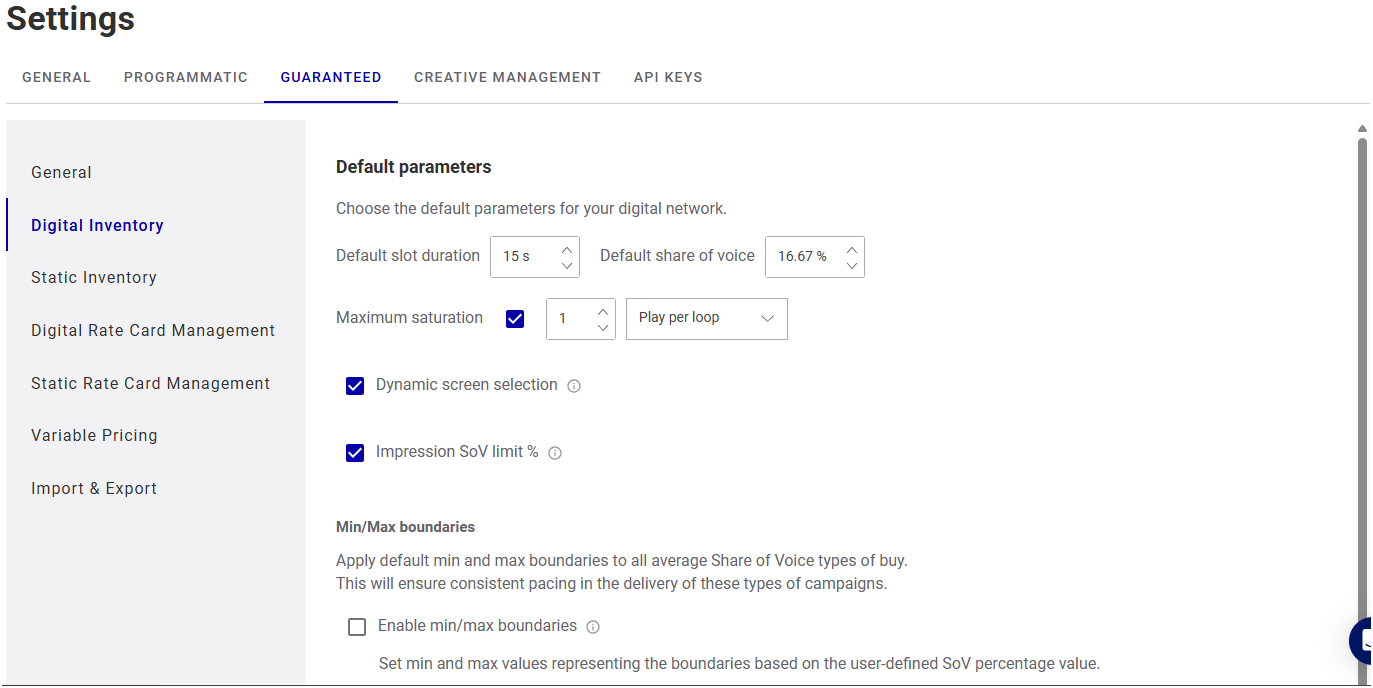
Digital Inventory Settings Improvements (Domain Settings)
General Settings Improvements (Domain Settings)
Production Sheet (Static Operations)
Virtual Faces (Static Operations)
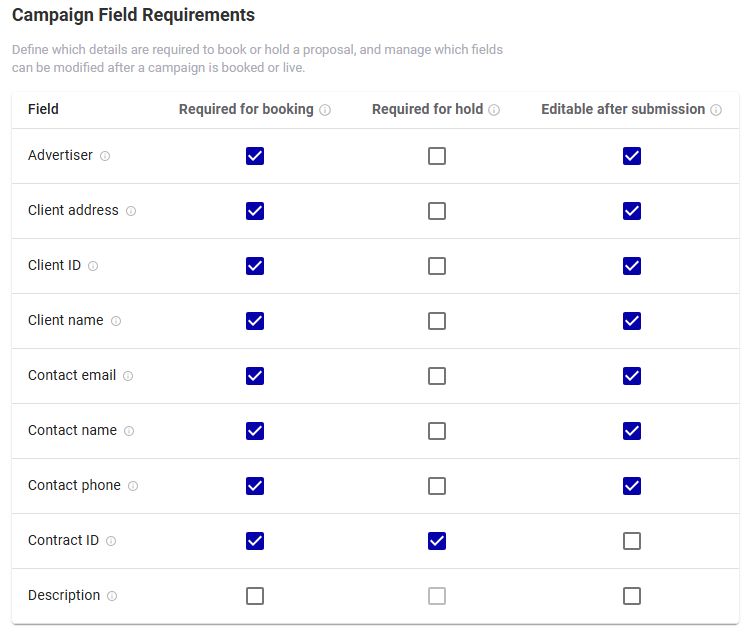
Campaign Field Requirements (Guaranteed Campaigns)
Copy Order and Delivery Instructions enhancements (Static Operations)
Asynchronous Amendments (Guaranteed Campaigns)
Improved
- Added GET Static API endpoints for Site and Face asset inactivity.
Fixed
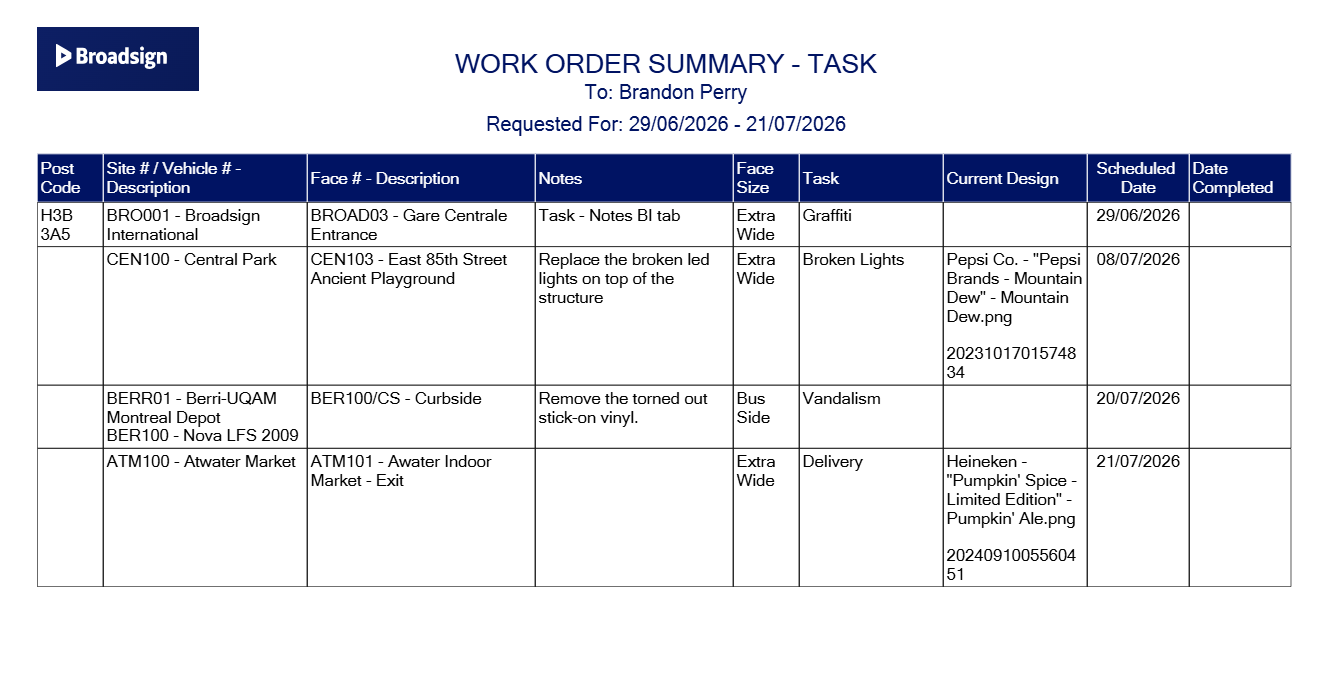
- Fixed an issue where the Notes field was not displaying the correct value in the Work Order Summary Report.
- Reference ID
-
The Reference ID identifies a Face asset using an external number. Use this unique value to group multiple Faces together.
-
-
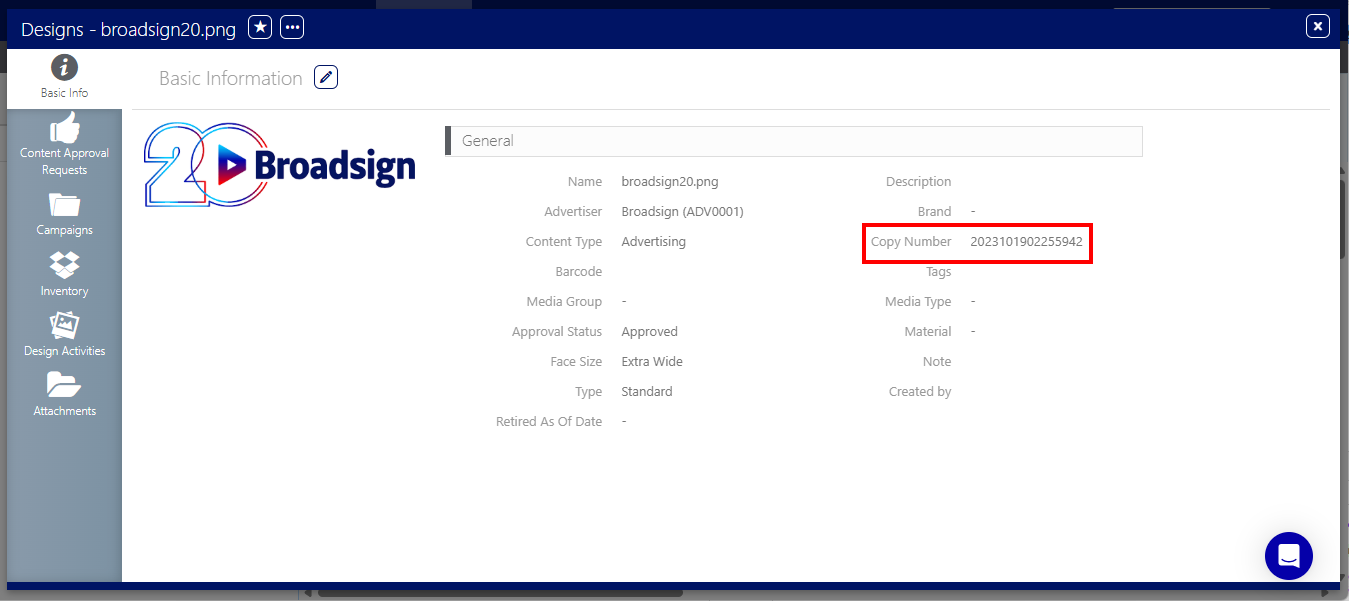
Copy Allocation enables media owners to manage a single poster per design rather than tracking posters by overall quantity. To uniquely identify a design and its associated poster, users reference the Copy Number field located within the Design Basic Info tab.
When generating a new Design, the systems auto-generates a unique Copy Number timestamp code to guarantee database-level uniqueness and auditability. You can also enter your own Copy Number value.
Improved
- Transit – Added an API endpoint to get all the Vehicles categories.
- Changed the error message when a wrong file type was uploaded in lists search filters to warn users that the only acceptable format is .CSV.
- Added a PATCH endpoint to the Static Operations API to update multiple work-order-specific fields.
- Enhanced the Area import feature within the Static Operations Import tool to support updates to the existing hierarchy. This enhancement allows users to add or update the existing level 0 (parent) area.
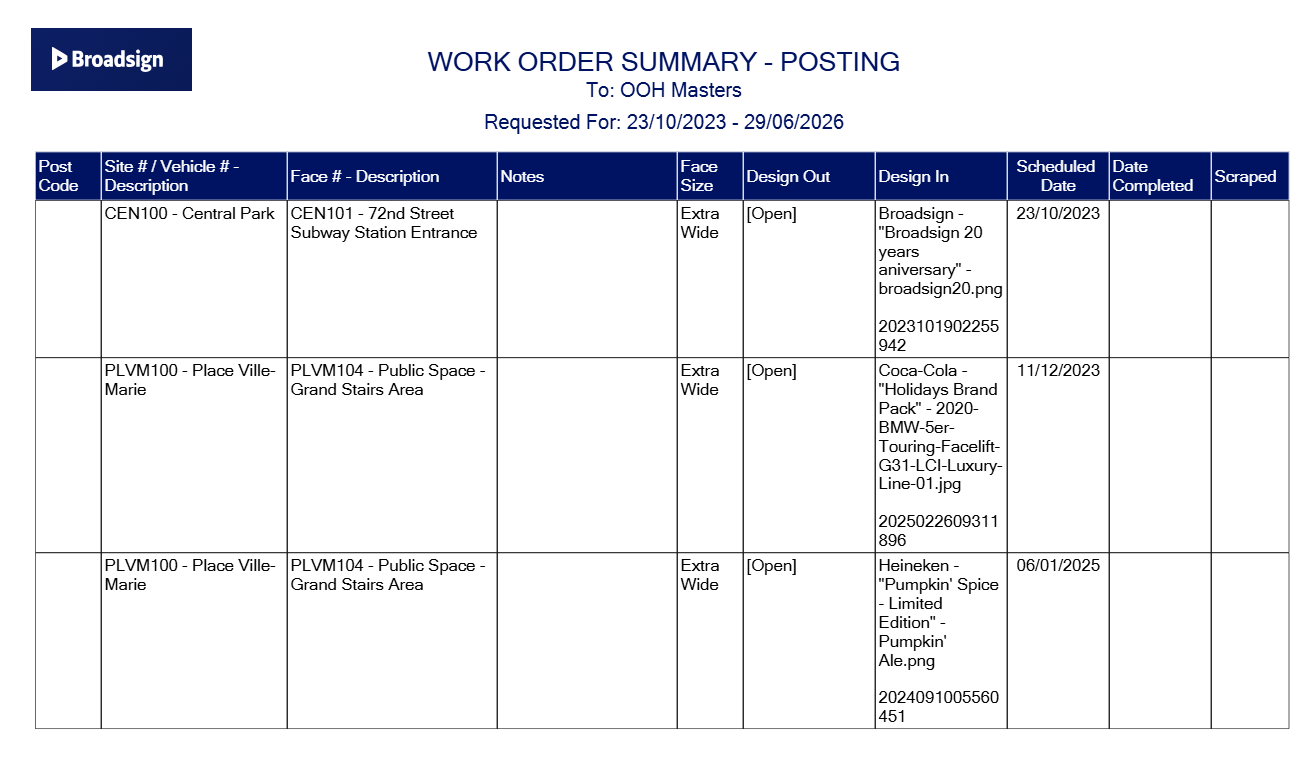
- New formatting for the Work Order Summary report. It includes the Copy Number value for use with the Copy Allocation feature.
- Restricted Design file upload to file type formats that support images. Reworked the user message when the file type was invalid.
- Reworked the UI for the Scheduling Summary dashboards to remove unnecessary columns and search filters.
- Cleaned-up the search filters across the UI to remove the question marks '?' in titles.
Fixed
- Fixed an issue where a user with no Static Operations roles assigned would still have access to some dashboards.
- Fixed a validation issue when users were trying to use the Ride feature in Campaigns.
- Fixed an issue where the Campaigns Notes (BMS Notes) could not be saved due to a wrong error message.
- Fixed an issue where the users would get an error when using the top list search function in the work orders.
- Vehicles Bulk Update
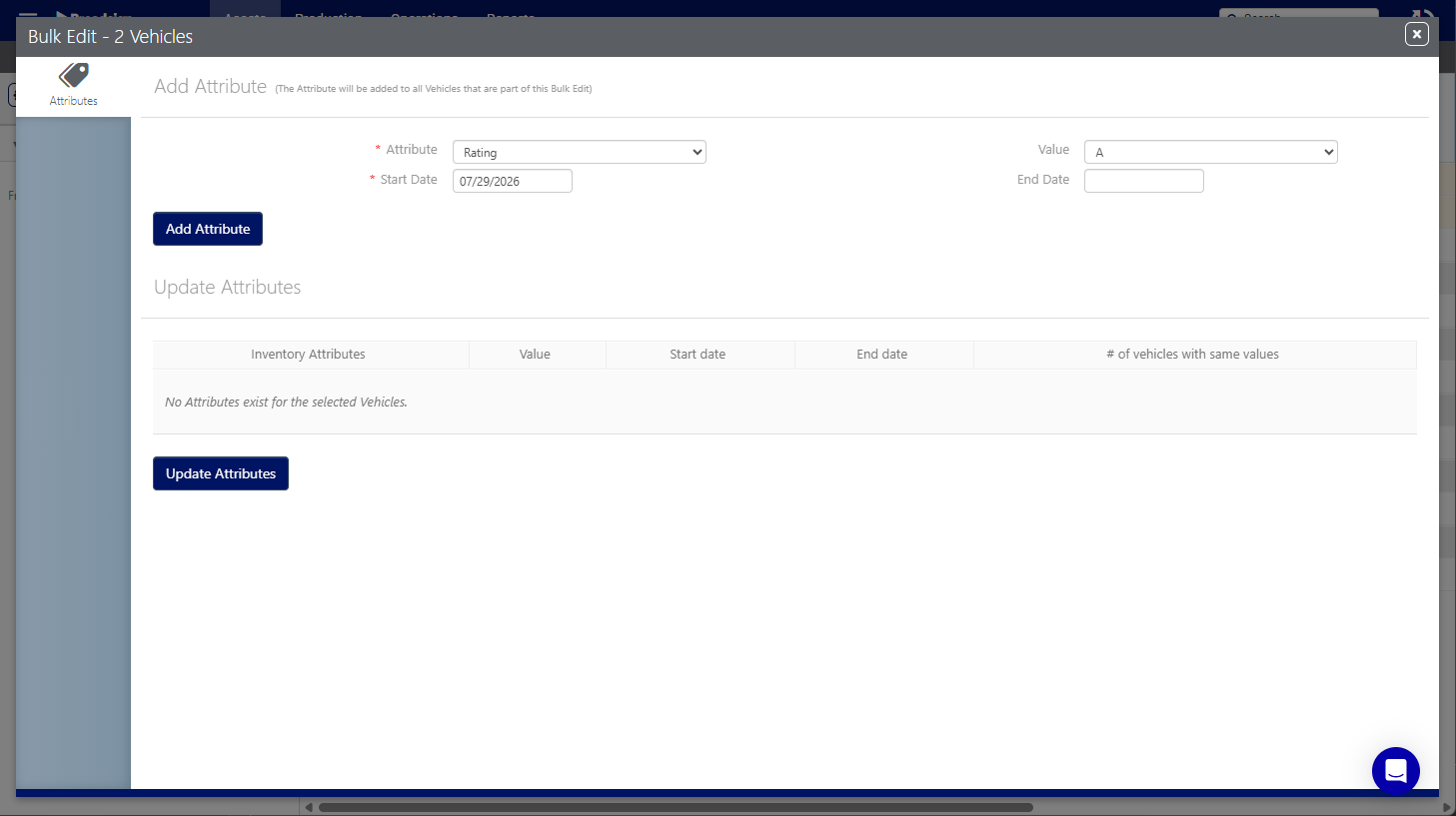
You can perform the following bulk operations on Vehicles:
- Add attributes for the selected Vehicles. The new attribute is added to all selected Vehicles.
- Update existing attributes for the selected Vehicles.
- Delete existing attributes that are currently assigned to the selected Vehicles.
You only see the count of Vehicles that currently hold the value for the selected characteristic. Only those specific Vehicles receive the update, not all of the Vehicles you selected for bulk edit.
Improved
- Added endpoints to the Inventory Management Static API product to create static sites and retrieve site and vehicle lists. Removed the Site Original ID endpoints.
- Changes to the Work Order details UI:
- Changes to the Work Order bulk edit form: When adding notes to work orders through the bulk edit, the previous values will not be overwritten. The new notes will be appended to the existing text.
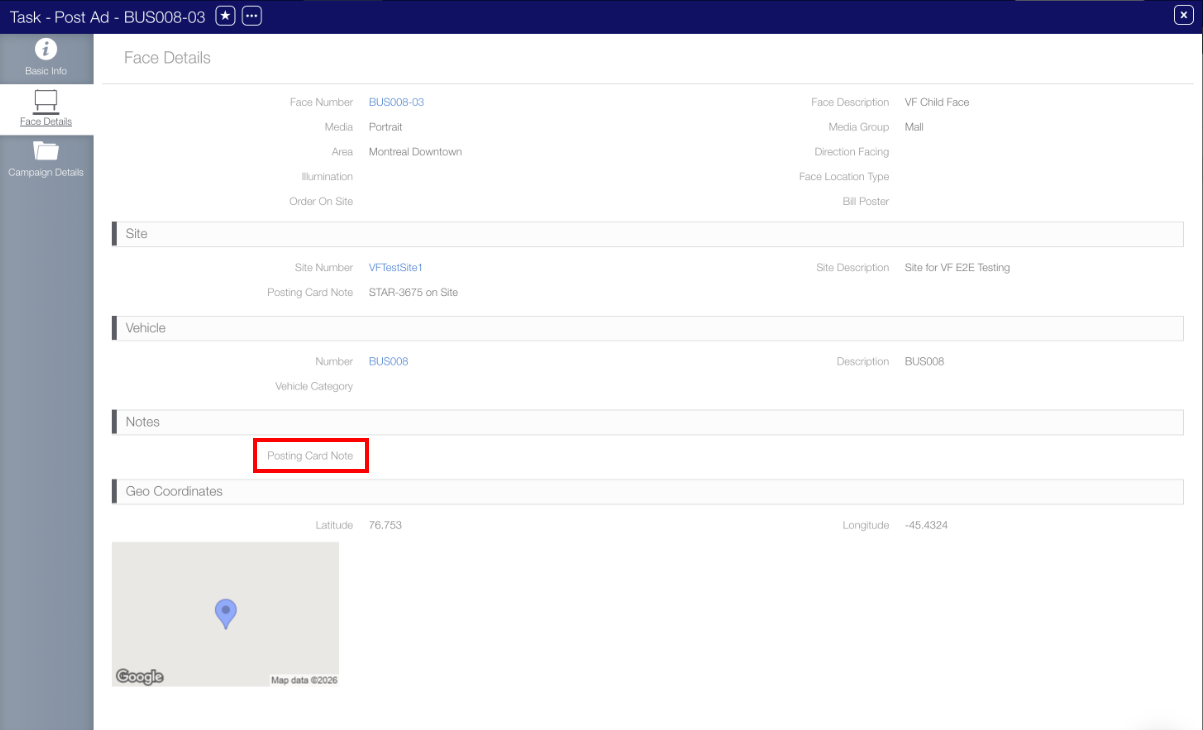
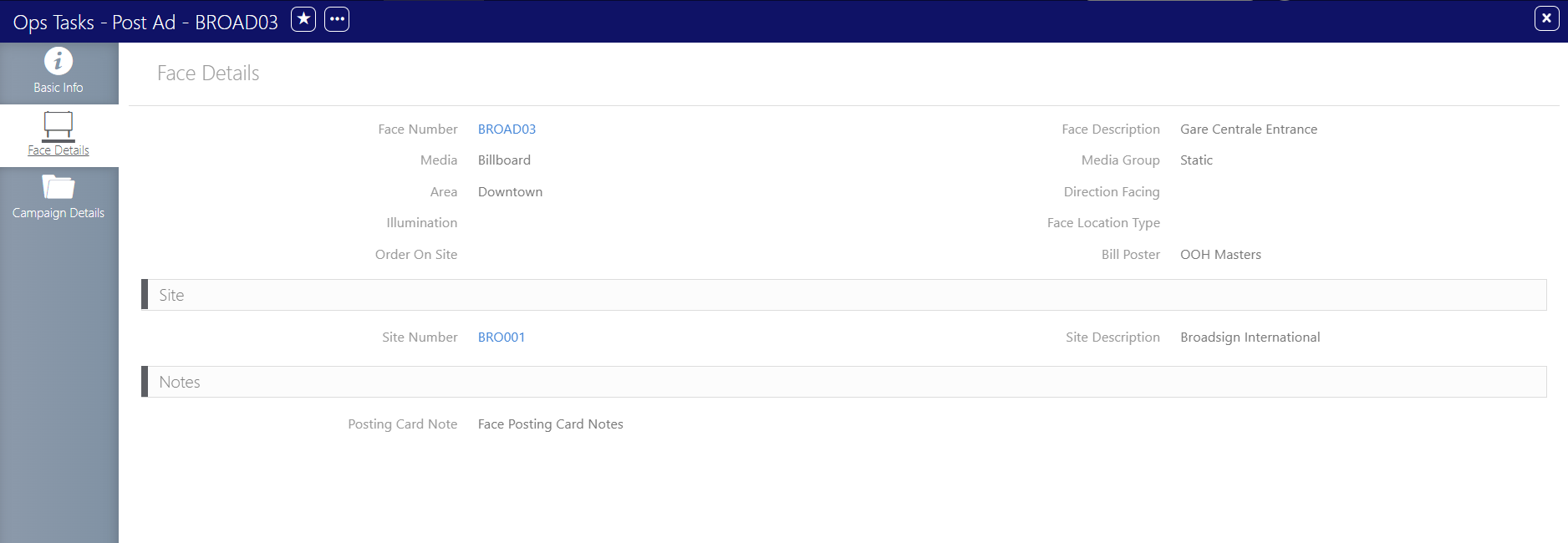
- Face Details tab of work orders – We added the Posting Card Note.


Fixed
- Fixed an issue with the GetFaces API endpoint batching.
- Fixed multiple attributes issues by adding more validations, error handling, and robustness.
- Fixed a user duplication issue when the user was deactivated in the Platform.
-
Fixed an issue where the Site / Face information were inverted in the Work Order Detailed Report.
- Third-Party Players Inventory Support
- Customers can now import screens hosted in their own CMS and manage them directly from the Broadsign Platform. This includes creation and syncing to both Broadsign Reach and Place Exchange SSPs.
- Campaign Maps Download
-
The Campaign Maps document contains maps of the Faces selected for a Campaign. It includes information such as:
- An Overall map displaying the location of all Faces in the selected Campaign.
- It includes all Faces booked to the Campaign, without taking the line items into account.
- If a Face is booked multiple times in the campaign, then the map shows only one pin per Face.
- If a Face shares the same geo coordinates with one or more Faces, the pin shows the number of Faces at the location.
- If the Campaign contains only one line item, then the system generates only one overall map for the campaign and there is no line item map.
- The Overall map is always the first one generated and might also be the only map generated for the Campaign.
- Maps are paginated, with the Overall map being set as -1-.
- Line Item maps displaying the location of all Faces for each line item of the selected Campaign.
- It includes all Faces booked to each line item.
- If a Face is booked in more than one line items, it is shown in each line item map
- If a Face shares the same geo coordinates with one or more Faces, the pin shows the number of Faces at the location.
- A Legend of the Inventory Types (Indoor, Outdoor, Transit, Various)

For more information about inheritance, see Latitude/Longitude.

For more information about inheritance, see Latitude/Longitude.
Improved
- We made some Transit specific enhancements:
- Added Vehicle specific search filters and columns to the Work Orders list and to the Export to Excel functionality.
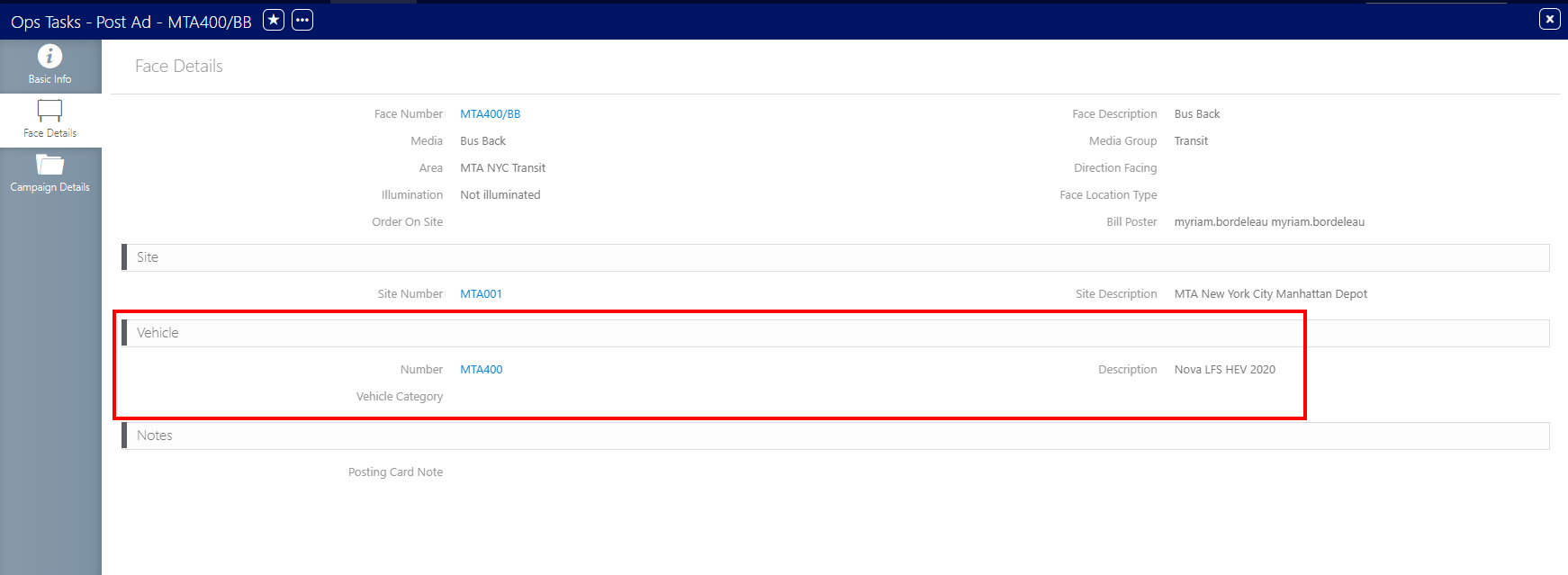
- The vehicle informational fields are now shown in the Face Details of a Work Order.
- We implemented minor user interface changes:
- Changed the Bulk Edit icon in the Work Order list in order to be more consistent with the same icon used for the same purpose, in the system.
- Face Details tab of work orders – We configured the system to properly populate the Bill Poster field according to the face assignment.
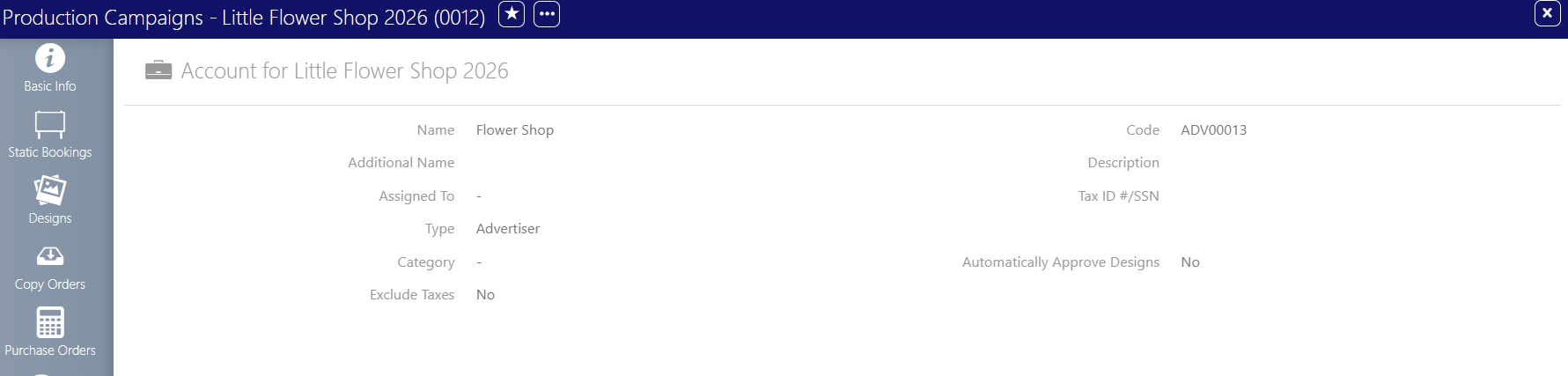
- Accounts tab of Campaigns – We removed obsolete and unnecessary fields.
- Operations tab of Faces – We removed obsolete and unnecessary fields.
- Work Orders list – We removed obsolete and unnecessary fields.
- Improved the linking and editing of Vendors assigned to the face when managing vendor types.
-
Improved the work orders details:
- Added the Date Covered and Override Days field to the posting work orders so that users have access to the posting data.
- Added the post design to the work order details. This update allows users to see the exact image of the post they need to complete.
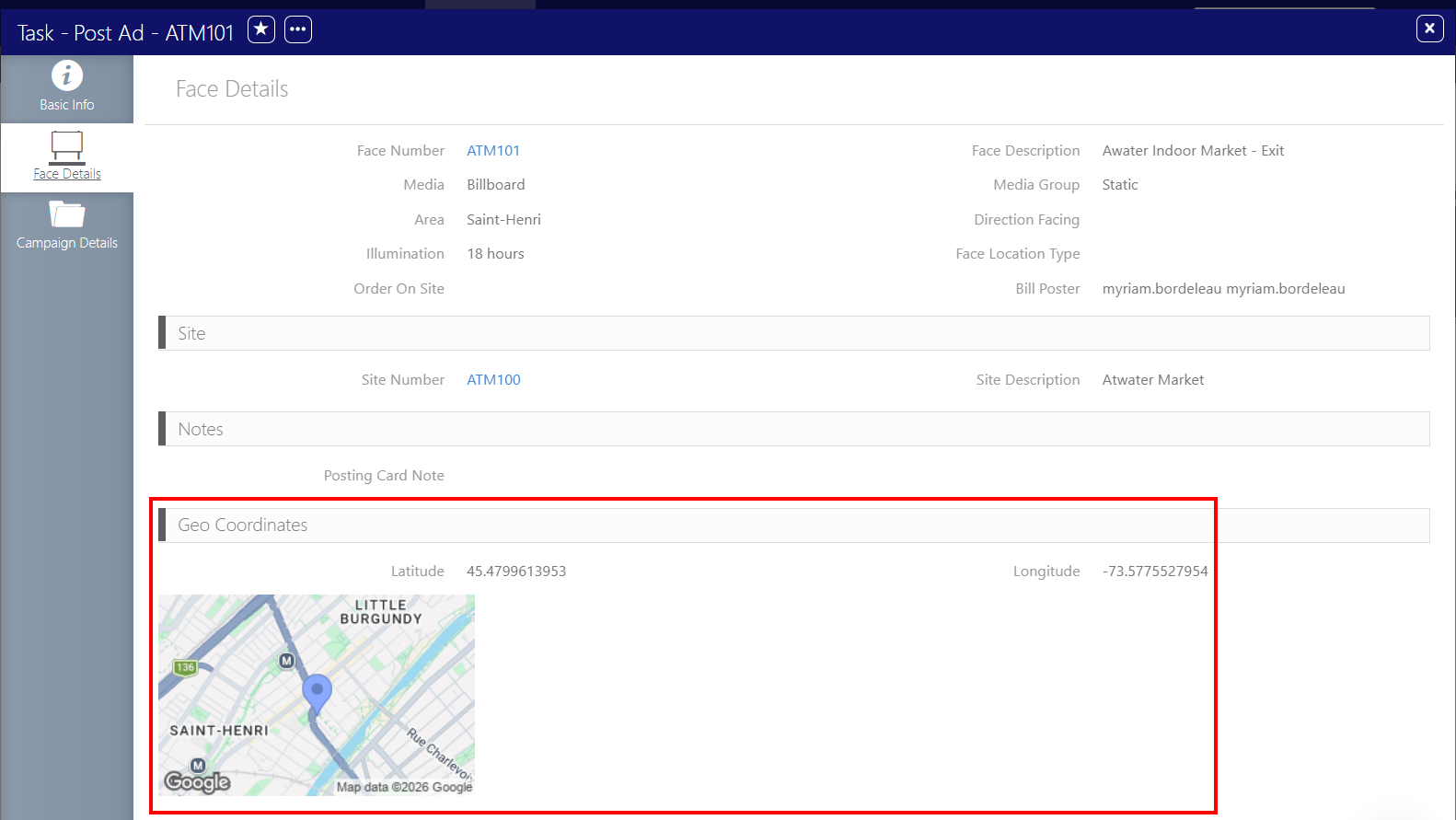
- Added the face geo coordinates information to the posting and task work orders.

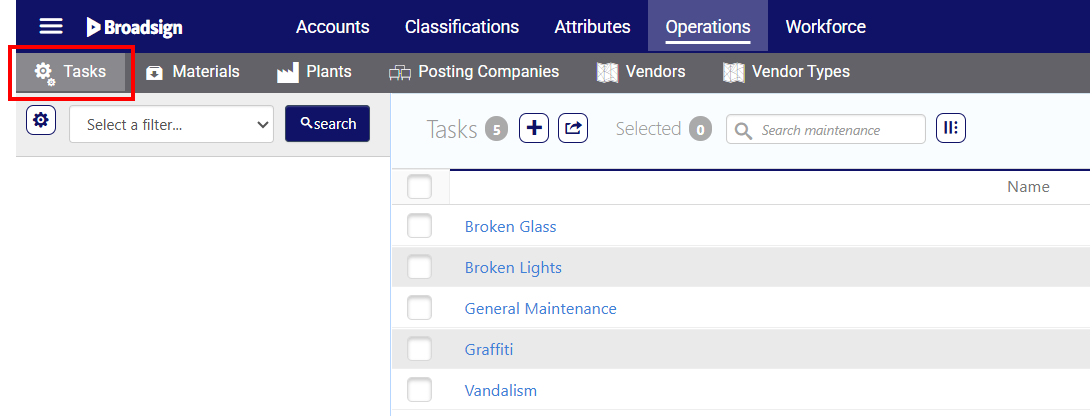
- Renamed the Maintenance tasks to Tasks in the interface:
- In the Administration section, renamed Maintenance to Tasks.
- In the Work Orders list, renamed Maintenance to Tasks.
- The system now populates and displays face-level geo coordinates in the interface when the face inherits them from the Site. Users can always edit face-level geo coordinates. These manually edited coordinates take precedence over the Site geo coordinates.
- We removed the obsolete mandatory Height and Width fields when creating a Face Size in the System Admin Connectors.
- We removed the obsolete Code field from the Site History tab in Vehicles details.






Fixed
- Fixed a user setting issue that previously affected the Static Operations dashboards. The dashboards now correctly apply all user preferences.
- Fixed an issue where the Vendor would get unlinked from a Face if the Vendor Type was changed or unlinked.
- Fixed an issue where the work order notes would be duplicated on the Summary Work Order Report.
- Fixed an issue where users assigned to multiple organizations failed to sync to Static Operations.
- Fixed an issue that prevented the system from populating the Bill Poster or Posting Company on the work order list and details pages.
- Fixed an error when creating a static face through the Static Operations API.
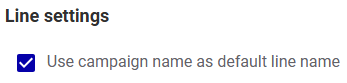
- Use campaign name as default line name
-
By default, the system populates the line item name with the campaign name in the Create Digital Line Item and Create Static Line Item pages. An Admin can now disable the Use campaign name as default line name option. Users will need to enter a custom line item name.
- Campaign Sheets Download
- You can download Photo Sheets and download the Production Sheet at the Campaign level.
Improved
- Changed the business logic for the static area in the Data Import Tool to be consistent with the interface in Static Operations. The import tool now allows you to set the same Area Code for different levels.
- To support Transit media, we have introduced new POST and GET Static Assets API endpoints for vehicles.
- We have simplified the Areas static data import by removing the consecutive level check.
- The Start Date and End Date fields in the Campaigns Basic Info tab are no longer editable. The dates will always be populated as per the Line Items dates from Guaranteed Campaigns.
Fixed
- Fixed an issue where the Postings list was not loading in the interface.
- Sales User Campaign Visibility Restriction
-
This permission limits users with the Direct Sales role to viewing only the campaigns they own across the Platform. When enabled, Direct Sales users have no visibility into campaigns owned by other users within the organization. This restriction is consistently enforced across various areas of the application, ensuring users only access campaigns relevant to them.
The visibility restriction applies to experiences including, but not limited to:
- Campaign lists
- Line item lists
- Screen fill rate details
- Blocking campaign details when availability is constrained
- Other campaign-related views throughout the Platform
- Redesigned Dynamic Screen Selection Flow
-
The Dynamic Screen Selection workflow within the Guaranteed Campaigns module has been completely redesigned.
-
-
You can now use the flow directly when creating or editing digital line items in the Selection mode section.
Added
- Added the Additional Revenues Mgmt API Product to the Static API Portal. Customers can now manage their Campaign and Bookings additional revenues through APIs for the Static Operations Platform module.
Improved
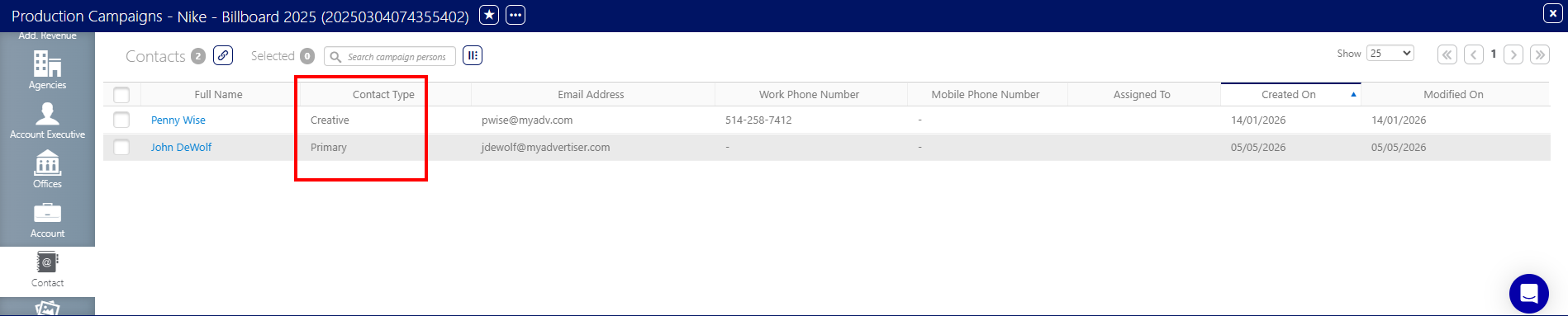
- Reviewed the interface in the Contacts tab of Accounts and Campaigns
- Added the Contact Type to the Contacts tab in the Campaigns.
- Removed the Title, Role, and Client Type fields from the Contacts lists across the system.
- Added the Contact Type column when assigning a Contact to a Campaign.
- Removed the Site Type creation from the System Administration interface, which will prevent users from creating Site Types that are supported by the Unified Platform for assets.

Fixed
- Improved the robustness of the Static Data Import Tool for the Vehicle import by applying case-insensitive and all-caps validation to Vehicle Category data.
Improved
- Added POST, GET, and DELETE API endpoints to the Production Sheet for the Face and Vehicle asset types.
- It is now possible to change and manage the Vehicle Categories at any time in the interface.
- Removed unused and obsolete Attributes types.
Fixed
- Fixed an issue where, without a Vehicle Category assigned to Vehicles, the user would not be able to load the Occupancy lists and would see an error in the interface.
- Rebalancing After Blocking Day Part Updates
-
Rebalancing after blocking day part updates allows campaigns to automatically adjust delivery when a screen’s blocking day parts are added or removed.
When enabled, the system detects changes to blocking day parts on screens and proactively triggers rebalancing outside business hours. It reallocates campaigns around newly added blocking periods and reclaims inventory when blocking day parts are removed, keeping affected campaigns on track without manual amendments or rebooking.
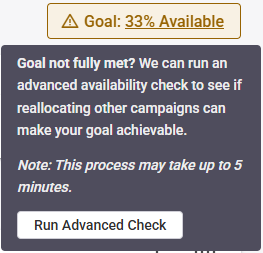
When the goal chip indicates an availability of less than 100%, you can use the Advanced Availability Check feature to determine if reallocating existing campaigns can create space for a new one. This feature manually triggers an availability check to see if your goal is achievable through reallocation.
- Digital Inventory Settings Improvements
- We have revamped the Digital Inventory section of the Guaranteed Campaigns settings so that the settings are in a logical order and easier to understand.
-
- General Settings Improvements
- We have revamped the General section of the Guaranteed Campaigns settings so that the settings are in a logical order and easier to understand.
-

- Production Sheet
-
The Static Operations module now offers to upload and download Production Sheets.
The Production Sheet is a printing specification document that can be distributed, usually for printing purposes. It may include information such as:
- The actual size of the structure where to install the ad (e.g., 14' x 48').
- The "safe zone" where all critical text and logos must stay to avoid being hidden by frames or wrap-edges.
- The extra area (bleed) of the design that extends beyond the finished size, ensuring no white edges show when the material is installed.
- The material to be printed on (e.g., heavyweight vinyl, eco-poster paper, or adhesive film).

- Virtual Faces
-
The Static Operations module now supports Virtual Faces.
A Virtual Face is a conceptual entity that encompasses and unifies multiple distinct Faces or surfaces within a larger ad surface. Identifying Faces as Virtual Faces allows the system to manage several individual components as a single, consolidated unit.
A Virtual Face can also be explained as a Face that overlaps one or several other Faces.
The most common example of a Virtual Face is in the Transit ad space. For example, with a Full Bus Wrap, the wrap is installed over the existing faces of the bus, making those faces occupied and therefore unavailable as soon as the Full Wrap is sold.
- The covering Faces are tracked independently as Virtual Faces.
- The underlying Face, or child Face, is covered by the Virtual Face and becomes unavailable when the Virtual Face is booked (e.g., for advertising).
- Improved
-
- Added the Additional Revenue search filter and column in the Campaign list so that the user can search for Campaigns that contain additional revenues.
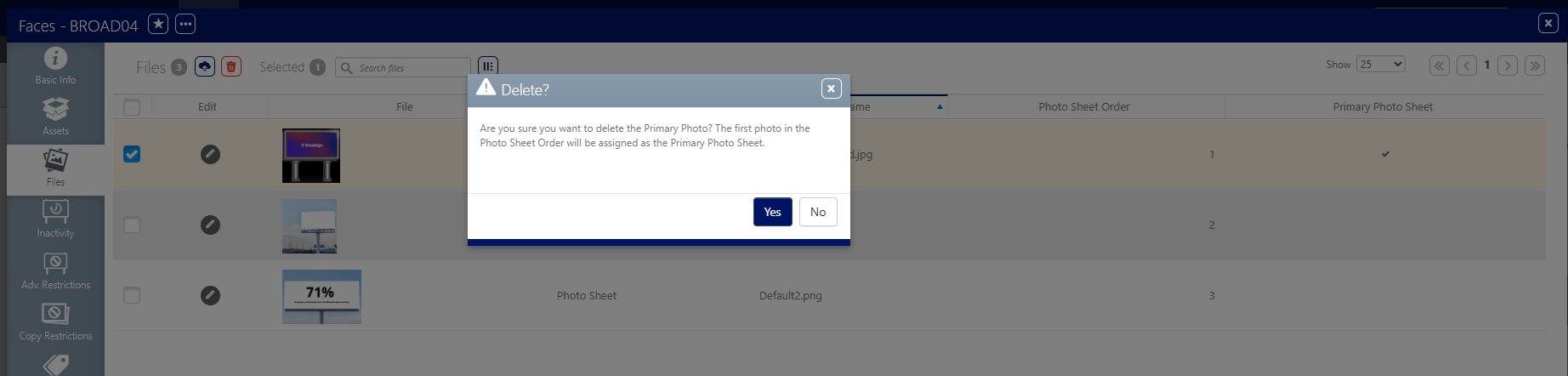
- Added validation when deleting a primary Photo Sheet.
- If a Face has multiple photos and the primary one is deleted, then the system marks the next picture as primary as per the order shown in the interface.
- Users will receive a validation message.
- Enhanced the Static API Portal by simplifying the menu and implementing new styling for better navigation. See Static Operations API.

- Fixed
- Fixed an issue with the Photo Sheet where the Face map would not display on the report if Faces coordinates were set.
- Campaign Field Requirements
- The Mandatory Campaign Fields table in the Guaranteed settings allows an Admin to define which fields users must fill out to book or hold a campaign. This table also manages which fields users may modify after a campaign moves to a booked or live status. It expands on the "Make the contract ID field mandatory" feature.
- True availability with blocking day parts on screen
- The system now includes blocking and inactivity periods in all availability calculations to ensure the inventory accurately reflects actual capacity during a campaign flight.
-
Improved
-
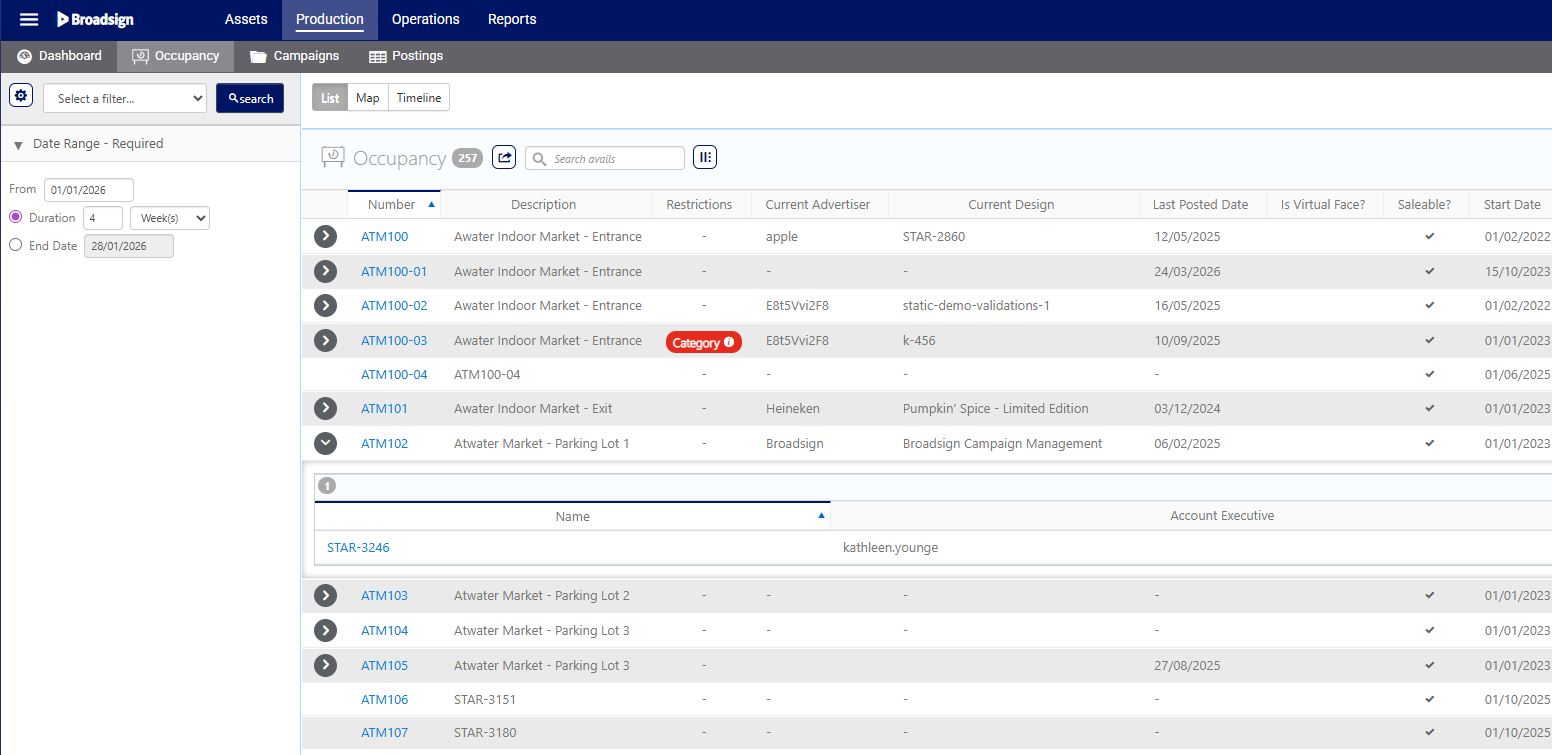
- Improved the Occupancy Face List to make the expandable arrow appear only when there is a booking for the requested period.
- Multiple enhancements to the Copy Order feature and its companion report, Delivery Instructions. See Manage Copy Orders and Generate Delivery Instructions Report.
-
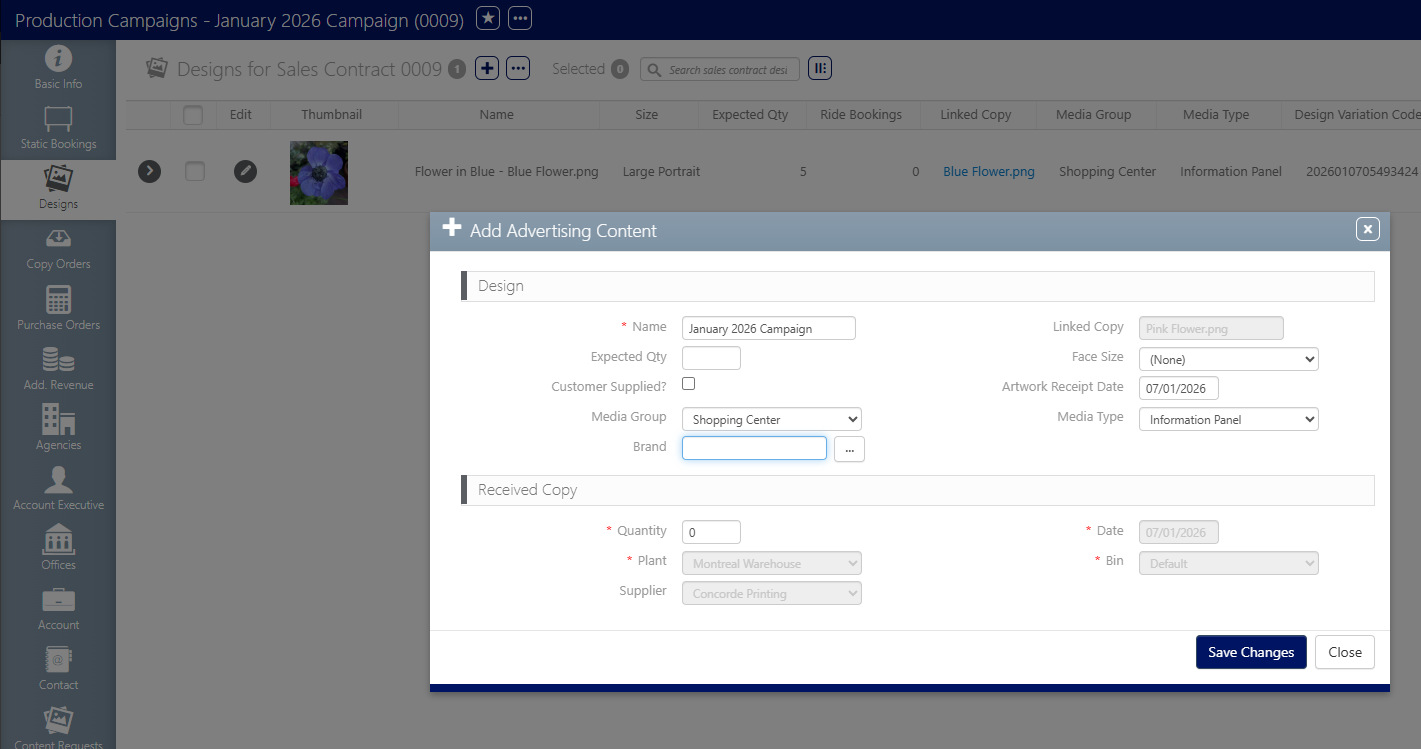
Added the Advertiser Brand field to the Designs upload and edit forms, in the Campaigns. See Getting Started – Designs Setup.
- Changed the behavior of the primary photo for the faces Photo Sheet report:
- A primary photo is set at all times.
- The first picture uploaded as a Photo Sheet is set as the primary photo.
- It is possible to change the Is primary photo? option set for a Face.
-
Changed the name of fields on the Photo Sheet report to match the Face information in the user interface.
- The Order in a Design Activity now comes from the Copy Order tab in a Campaign. See Getting Started – Copy Setup and Manage Copy Orders.
Create
Edit

-
Fixes
-
- Fixed an issue where Campaigns would be duplicated if it was edited in the Static Operations module interface.
- Fixed an issue where an error would appear in the Assets Dashboards.
- Fixed filtering when assigning designs to bookings to exclude the ones that are cancelled.
- Fixed issues with saving the longitude and latitude values with a French Operating System.
- Fixed some issues related to the POP Website:
- The system no longer requires multiple published campaigns to display content on the website.
- Fixed an issue that prevented users from logging in.
- Fixed an issue where the system incorrectly required a logo at all levels..
- Fixed an issue related to the Ordered type in the Design Activities.
- Fixed a deployment issue for the Static Data Import where users would see a blank page.
- Fixed an issue with the Static Data Import Tool, which was preventing Faces from being imported.
- Fixed an issue with the POST app, which was preventing users from accessing the app.
- Asynchronous Amendments
-
Asynchronous Amendment allows you to request campaign amendments even while existing bookings or rebalancing operations are still in progress.
With Asynchronous Amendments, you can submit amendment requests and continue working without interruption. The system intelligently queues amendment requests, processes them in the correct order, and executes them asynchronously, similar to how bookings are handled.
-
Rebalancing after importing audience data is a proactive measure automatically triggered when the import is completed. This feature allows campaigns to automatically adjust their delivery when the audience of a screen is updated.
-
With Shared Goals, multiple lines can contribute toward a single delivery goal. You can amend contributing lines in the same way as standard lines. You can update attributes such as flight dates and screen selection while keeping the line attached to the shared goal. The system automatically accounts for these changes and ensures the shared goal continues to be delivered correctly.
- New Digital Campaign Creation Flow
-
The digital campaigns booking workflow within the Guaranteed Campaigns module has been completely redesigned.
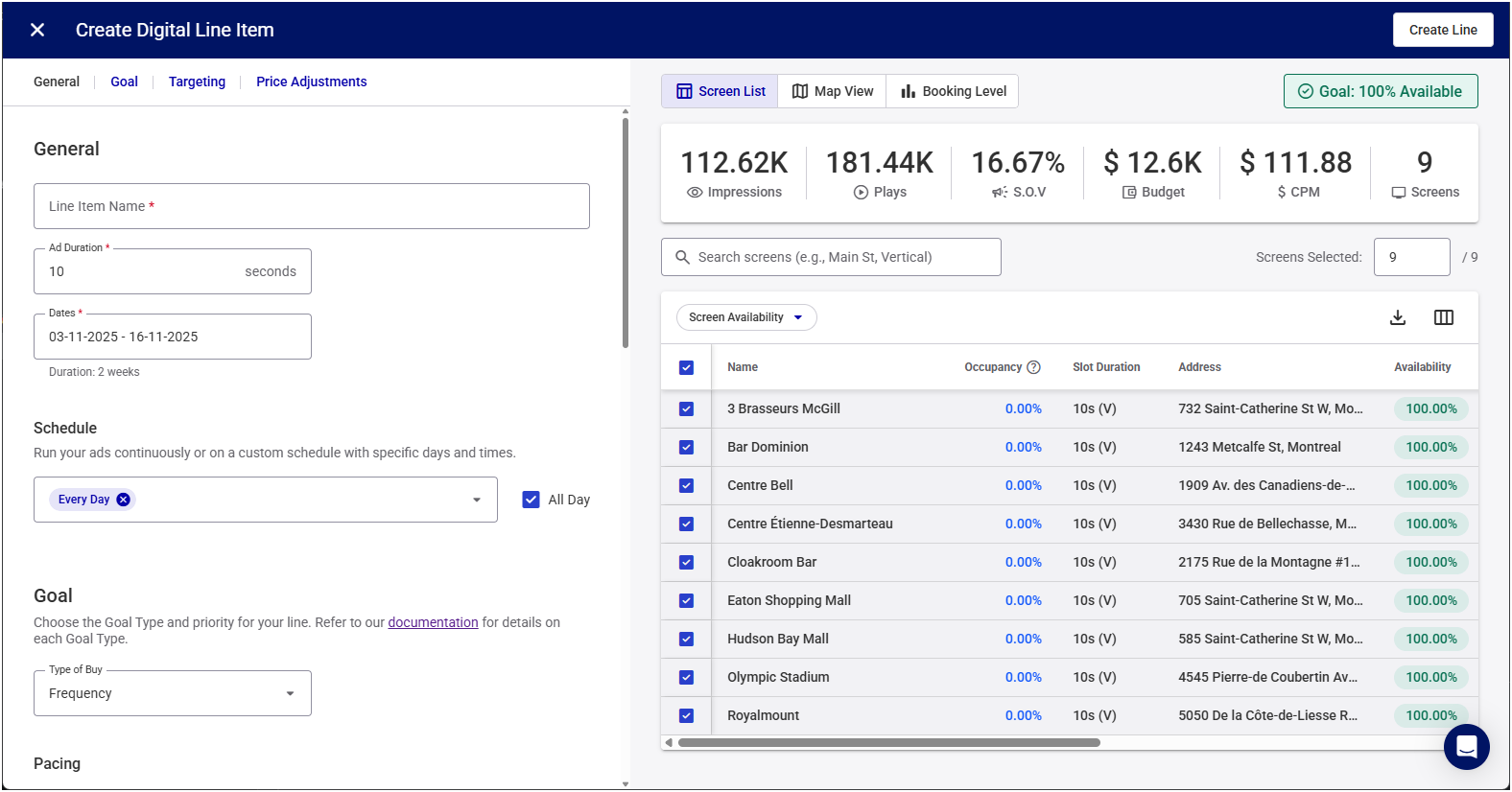
The new interface includes the following:
- New Targeting Tools
-
New targeting tools enable more precise and location-aware targeting.
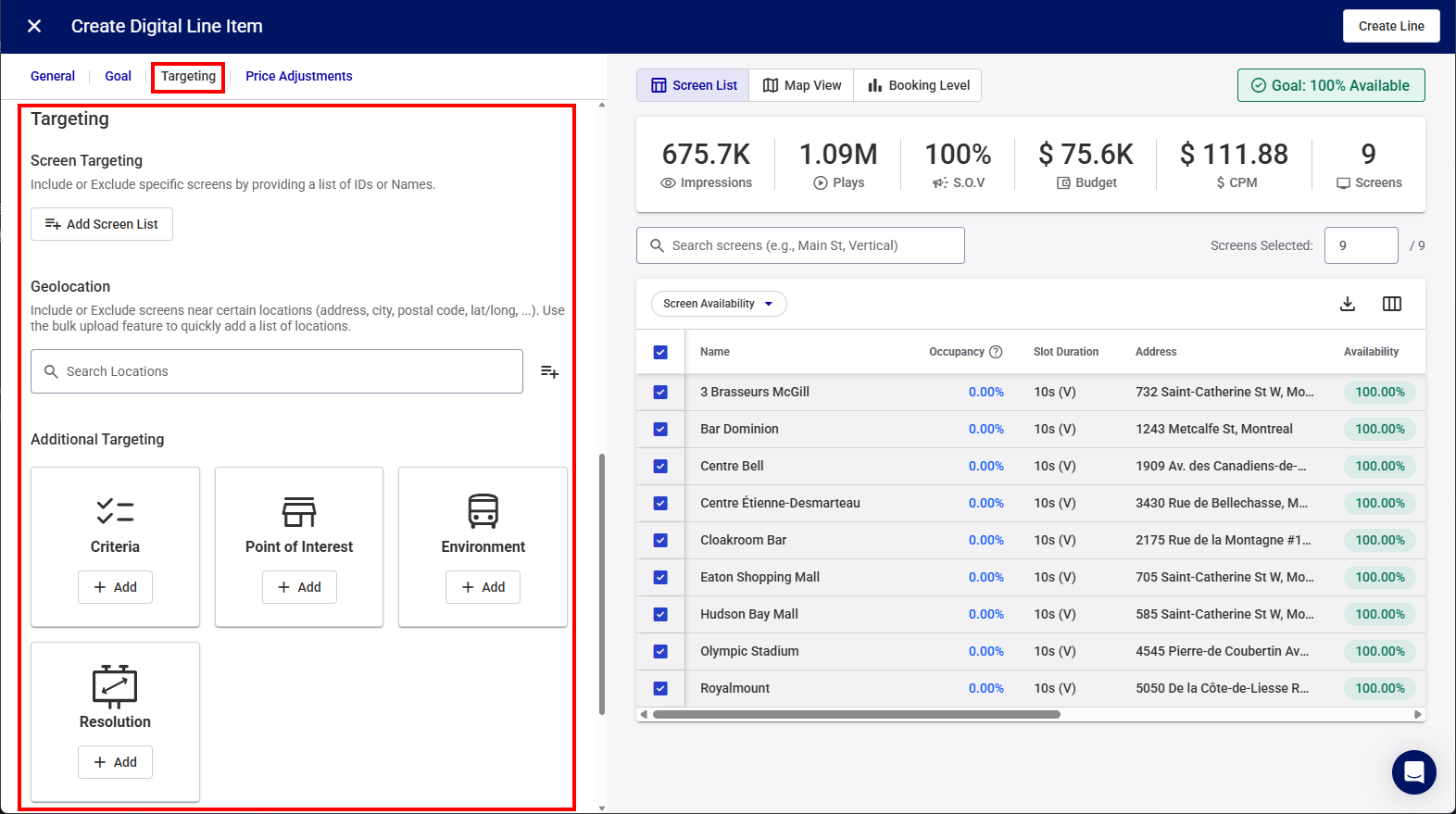
You can use the following targeting options: